In addition to being a Cisco Certified Specialist, Fastmetrics is also a Cisco Meraki Partner. This means the Fastmetrics network support team are qualified Cisco Meraki Solutions Specialists. We are certified to design, implement, run and support the Meraki suite of products.
What Is Cisco Meraki & What Can It Do?
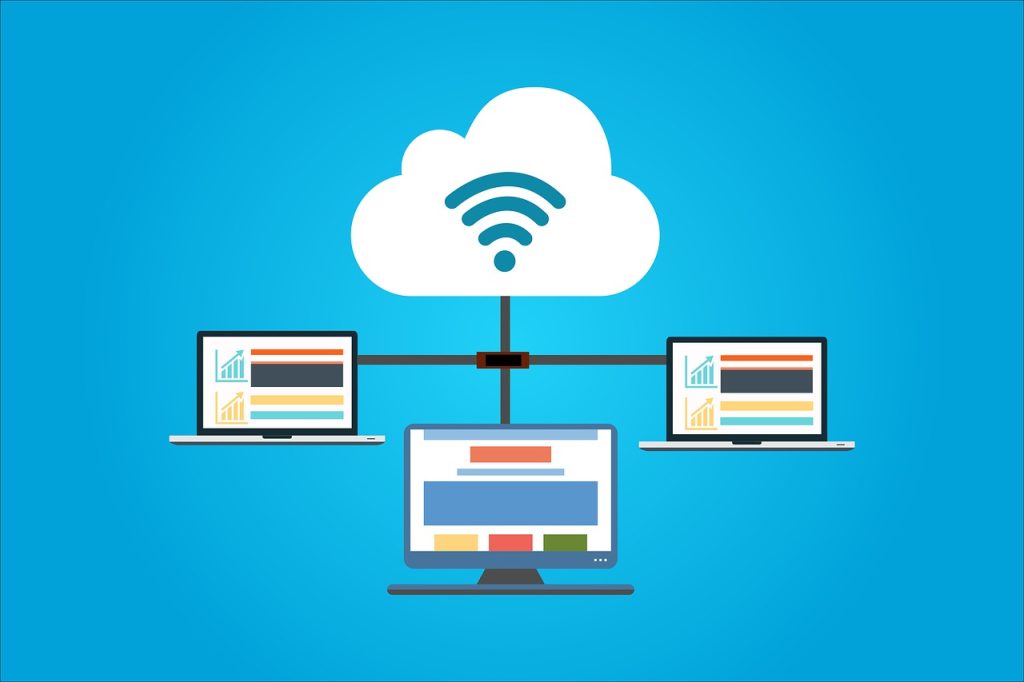
Cisco Meraki provides cloud managed IT services and a suite of supporting hardware. Meraki services are controlled by a cloud based dashboard. Some of the IT solutions from Meraki include; SD-WAN, network security, WAN management, wireless connectivity (including support for higher speed WiFi 6), smart cameras, IoT, switches and mobile device management. All can be controlled and monitored from the central cloud-based dashboard, which is a key feature of the Meraki suite.
Network management via Meraki is efficient to setup, configure and create alerts both remotely and in office. So whether working with a hybrid, remote or in-person workforce, Meraki provides secure network control. It’s also easy to create alerts for new networks or expand existing ones.
Why Work With A Cisco Meraki Partner?
We’ve invested time in the training (and exams). We have real-world experience deploying and supporting Meraki solutions. We know the products and platform. We know how to get the best out of Meraki for your IT departments benefit. For business customers, we deploy the latest Meraki hardware to get your network setup up to speed, without the hours familiarization needed. Whether that be faster WiFi 6 access points, network security, SD-WAN or other, contact us via the form below, to find out how Fastmetrics can help your network adapt and grow efficiently, via our Cisco Meraki partnership;
Below are some uses cases for the Meraki suite of products. It can be successfully deployed to cater to a variety of industries, including healthcare, government, retail and hospitality. Click on each image to open the PDF solutions guide for each relevant industry.
Higher education: Below is a use case solution guide for Meraki in higher education, such as schools and universities. As demands to modernize legacy IT infrastructure in the education sector grow, see how Cisco Meraki helps achieve this. Also, how the Meraki suite can deliver outcomes such as secure, flexible and blended learning environments.
Cisco Meraki Higher Education Solutions Guide
Manufacturing: Below is another solution guide for Meraki use in the manufacturing industry. After COVID-19 disrupted global supply chains, Meraki offers operational savings for multi-site manufacturers and producers. It can help reduce Total Cost of Ownership (TCO) via central cloud management, for multiple locations. Also cost IT cost savings via automated updates, patching and deployments.
Cisco Meraki Manufacturing Solutions Guide
Cisco Meraki “Experiences Start Here” Video:
Video transcript: Female Speaker 1: Cisco Meraki began with the pursuit of revolutionary new technology, 100 percent cloud-managed IT. Female Speaker 2: Basically an entire network under a single pane of glass. Female Speaker 1: After more than a decade in business, Meraki continues to innovate, delivering the simplest, most powerful solutions around. Male Speaker 1: Helping our customers stay ahead of the curve as demands continue to grow. Female Speaker 1: This means that wireless is expertly designed and engineered, optimized for the real world. Male Speaker 2: Which means a better user experience and it’s easier to set up. Female Speaker 1: Meraki’s best-in-class network security is updated automatically, giving you a powerful defense and peace of mind. Male Speaker 3: So no matter the vulnerability, we’re always working to keep you covered. Female Speaker 1: And ambitious goals don’t require cumbersome tools and a team of experts to achieve. Female Speaker 3: So you can finally get rid of all of these. Female Speaker 1: Now your networks can be configured in minutes, even for hundreds of sites around the world. Male Speaker 4: Wait. Really? Female Speaker 1: Yes, really. Plus you can manage your networks from anywhere. Female Speaker 4: Seriously Dad? Male Speaker 5: Yeah, I was just trying to finish something up. Female Speaker 1: Today IT isn’t just racks and cables in a server room. It’s working with sales, marketing and the C-suite to solve business problems. It’s intelligent insights giving you an edge in decision-making. It’s giving you time back to focus on the work that really matters. It’s powerful technology for everyone. So get smart and work simple.
About Fastmetrics, Inc. Building & Business ISP
Since 2002, Fastmetrics is the Bay Area’s only dedicated business ISP. We provide telecommunication services in California and the San Francisco Bay Area. Reliable service – backed by better live and local support. From install to 24-7 proactive monitoring, get treated like a VIP customer. Not a number by a faceless call center. We specialize in managed business internet and phones, dedicated high speed business fiber internet, business WiFi, SIP voice solutions / UCaaS and managed network services. We are a Microsoft and Cisco Meraki Partner. Our team are Certified Cisco Specialists, Ubiquiti Enterprise Wireless Accredited and Polycom Authorized Solution Advisors. We take care of your business network, so you can focus on growth.
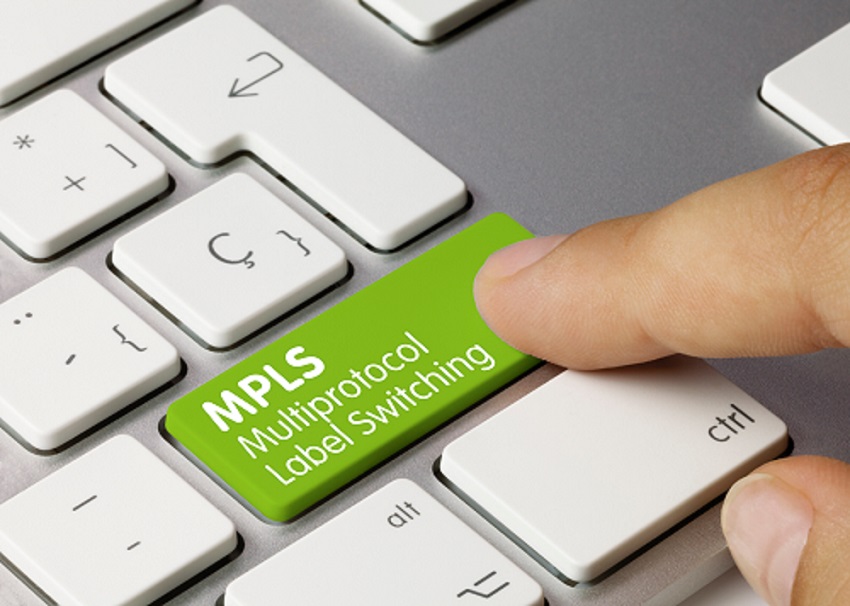
Over the past few years, enterprise network options like SD-WAN have multiplied at a dizzying rate. There’s new providers, complex hybrid solutions, and seemingly endless jargon. This can make configuring an enterprise network, feel like a a complex and time consuming task. That’s part of the reason why Multiprotocol Label Switching (MPLS) has been a staple of the industry for such a long time. MPLS is a solution enabled by a single provider that can handle business network traffic, without the need for heavy oversight or complex network configuration.
But, as we move into the era of Software-as-a-Service (SaaS) and cloud-based operations, the constant back-hauling that MPLS requires is becoming a much less attractive option. As a result, MPLS utilization is on the decline. Many companies are opting for the more flexible networking solution offered by Software-Defined Wide Area Networks (SD-WANs), which are seeing a massive boost in popularity.
Part of the appeal is that SD-WANs operate as an overlay network, essentially bypassing the restrictions of a physical hardware network (to which MPLS is bound), and allowing for a lot more flexibility in network configuration. With all of this in mind, transitioning from MPLS to SD-WAN might be the best move for your enterprise network, but there are pros and cons to weigh up with both options.
How SD-WAN Stacks Up Against MPLS
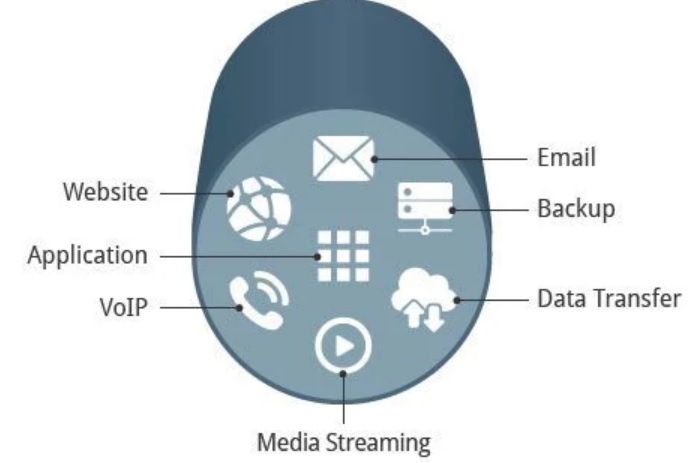
Network Agility: First, it’s worth recapping how MPLS handles data. Essentially, MPLS creates dedicated “pathways” through the network and “labels” packets of data to ensure optimal routing efficiency. The data then follows a set route, including a central server or data center. This enables guaranteed speeds and performance, but also means that changing network configuration can be a long and potentially frustrating process.
With SD-WAN the network becomes virtualized, essentially decoupling it from the underlying hardware, and making it possible to easily route data between any two nodes. There’s no reliance on a single provider, so network expansion is extremely easy compared to MPLS. In a rapidly evolving, digitally transformed world, you really can’t put a price on that kind of business agility.
Cloud-friendly: Better still, SD-WANs mean that cloud and SaaS applications can be accessed without the need for constant backhaul through a data center. This includes access to services that provide peering into major public cloud platforms like AWS, Microsoft Azure or Google Cloud.
Network Management and visibility: Because SD-WAN is an overlay network, there’s also more general flexibility when routing data, and greater visibility into how data moves through the network. It therefore becomes easy to see which applications and users are the most demanding, and to tailor the network to support priority data movements while deprioritizing unnecessary usage. In other words, while Joe’s Facebook feed takes a back seat, bandwidth can be prioritized for VoIP or video call meetings.
Cost Reductions: Lastly, SD-WAN-enabled networks are generally more cost effective than MPLS. Because instead of sending all data through MPLS infrastructure, SD-WAN can use the public Internet as an underlay network, or can combine MPLS and Internet.
Why Bother With MPLS When There’s SD-WAN?
Based on the above, it seems like an obvious choice for companies to ditch MPLS in favor of SD-WAN. But the truth is there are advantages to the older system. For starters, having a provider manage your data from point to point under the terms of an SLA is tremendously convenient. It alleviates pressure on any internal IT team (although managed SD-WAN is also an option). And because MPLS is a private, dedicated network, you can rest easy at night knowing your network quality is iron clad. For companies where security or latency are mission critical, MPLS is an attractive option. Especially for data that you might feel is too sensitive to move through the public web (that said, SD-WAN has security capabilities that can also pacify these worries).
Is MPLS Here To Stay?
The short answer: probably. Although market share of MPLS will continue to decline as SD-WAN gains traction. It’s important to remember that even though they’re often positioned as competitors, SD-WAN and MPLS aren’t mutually exclusive. SD-WAN can still use MPLS as part of its underlay. As with many things in the networking world, the answer to which one is better depends a lot on what your requirements are, and what you aim to achieve via your network.
About Fastmetrics, Inc. Building & Business ISP
Since 2002, Fastmetrics is the Bay Area’s only dedicated business ISP. We provide telecommunication services in California and the San Francisco Bay Area. Reliable service – backed by better live and local support. From install to 24-7 proactive monitoring, get treated like a VIP customer. Not a number by a faceless call center. We specialize in managed business internet and phones, dedicated high speed business fiber internet, business WiFi, SIP voice solutions / UCaaS and managed network services. We are a Microsoft and Cisco Meraki Partner. Our team are Certified Cisco Specialists, Ubiquiti Enterprise Wireless Accredited and Polycom Authorized Solution Advisors. We take care of your business network, so you can focus on growth.
We live in a world powered by data and technology. Businesses, governments, organizations and scientists strive to find innovative ways to use, collect and store more data. Enough quality data allows for more informed decisions. Harnessing the power of data can inform marketing strategy to life and death situations, such as emergency disaster preparation. As fields such as AI and IoT emerge, technology continues to find more efficient ways to combine them.
Before continuing, it’s worth refreshing on what data science is. Data science refers to an interdisciplinary field between mathematics, statistics and computer science. Data and engineering teams are common in many businesses today. A key aim of data science is to determine how to collect large amounts of data and extract insights from it. With the IoT market expanding rapidly and producing so much data, there is a need to analyze it. Making data science key.
The ‘Internet of Things’ (IoT) is a broad concept. Essentially, any device that collects information (data) and can network via Internet connectivity (like WiFi or cellular data). IoT connected devices cover everything from sensors, security, wearables, intelligent appliances and more. Some examples of IoT devices are; smart watches, smart speakers, smart TVs, Nest thermostats, security cameras and more.
Why Combine Data Science & IoT?
Why should data science and IoT work together? The main benefit of combining data science and the Internet of Things is it allows more efficient and accurate data analysis. With technology’s ability to transfer data at higher speeds over the Internet, specialist expertise is necessary to manage data volumes. As IoT devices produce high volumes of data, data science helps process and extract insights into meaningful formats.
Most businesses are familiar with data. But as customers connect via more devices and IoT becomes ingrained in daily life, processing and quality data analysis can be challenging. To draw valuable insights from data requires invesmtent in technology and expertise. With the real-time nature of data, this can help businesses stay on top of current trends. When it comes to the ‘big data’ that IoT can produce, data science experience is likely a necessity.
Can They Work Together?
Can it be done? Yes. Should they work together? Definitely. The Internet of Things can collect data across multiple devices. IoT data at a macro level can be useful, however data science allows for deeper extraction of insights at a micro level. Whilst IoT devices collect data, data science provides algorithms for presenting and making sense of the data.
As an example, think of a smart TV manufacturer. At a macro level, sales data can inform the company where the most smart TVs are sold. This can help marketing and sales teams focus efforts. At a micro level, deeper data analysis from a data scientist or team may tell the manufacturer which apps are the most used on each TV, or the average power consumption of a particular TV model. This can help product teams improve design, UX and energy efficiency of future smart TVs, providing an improved product for better sales in the future.
There certainly is challenges in getting quality data from the amount of different data collection points we have access to today. Again, we’re seeing technology step up. Artificial Intelligence (AI) is at the cutting edge of processing large data sets. It can assist with collecting, storing and analyzing big data seen from IoT connected devices. Check the full details of one such platform which uses AI for analyzing big data sets.
Applications Of Data Science & IoT
Expanding on the smart TV example above, the application of data science with IoT (often called IoT analytics) is becoming an asset in industries such as retail, healthcare and manufacturing, to name just a few. The retail industry uses IoT and data science to controll stock and predicting demand. The impact of data science and IoT on healthcare has been literally lifechanging. Users of smart watches now have access to data covering sleep, steps, running distances / speeds and more, to help reach health goals.
IoT and Data Science Challenges
As IoT and data science work together, it’s worth noting that there are also challenges. Security, data storage, scaling and of course – costs. The Internet of Things allows for faster collection of some personal data, opening up concerns around consumer privacy. With the vast amount of data collected, organizations must secure this critical data.
Regarding scaling, solutions for vast amounts of data do have capacity limits. When working with data collection > storage > analysis at scale from a field as broad as the IoT, make sure there are scalable solutions in place. This may mean investing in IaaS (Infrastructure as a Service), Platforms as a Service (PaaS) or a level of enterprise connectivity that is capable of handling large data loads. All of these are investments, but plan accordingly when combining IoT with data science.
In a data-driven world, there’s no question that data science will be an essential field for many industries moving into the future. The ability of data science to gather and analyze data will be further improved with other technology such as AI. Using IoT and data science together, industries can collect data at faster speeds and produce more accurate insights. Consequently, this allows for better informed and data-driven decisions.
About Fastmetrics, Inc. Building & Business ISP
Since 2002, Fastmetrics is the Bay Area’s only dedicated business ISP. We provide telecommunication services in California and the San Francisco Bay Area. Reliable service – backed by better live and local support. From install to 24-7 proactive monitoring, get treated like a VIP customer. Not a number by a faceless call center. We specialize in managed business internet and phones, dedicated high speed business fiber internet, business WiFi, SIP voice solutions / UCaaS and managed network services. We are a Microsoft and Cisco Meraki Partner. Our team are Certified Cisco Specialists, Ubiquiti Enterprise Wireless Accredited and Polycom Authorized Solution Advisors. We take care of your business network, so you can focus on growth.
In the age of big data, business data storage is as important as ever. Websites, databases, customer contact info, metrics, contracts, spreadsheets, emails and more, are all vital sources of business information. This data needs to be stored securely, but also accessible. From small to large business operations, here’s how to go about thinking and planning for business data storage needs.
Plan for Growth
As any business grows, so to do business data needs. Planning and creating a business data storage strategy that accommodates for growth is crucial. Data storage needs are not always an easy subject to navigate. It depends on various factors, such as the specific industry or the type of customers that a business operates in. For example, the business data needs of an walk-in retailer, are going to be very different to that of a financial services company, or an AI startup. An e-commerce retailer may have a significant number of online customer generated transactions and data. A financial services company will have a need for highly secure data storage. In the AI space, this is likely to have demanding data needs to both store and access code and / or applications. But whatever the case, plan data storage for scaling, to accommodate any future business growth.
Determine Business Needs
You cannot plan for data storage before knowing how much storage your business needs. The amount of storage will depend on how big a business is and its operating industry. This is where the choice between MLC and TLC data storage technology comes into play. Whatever the case, a simple strategy to assess the needs of your business is to first look at the common software used and the largest files created or used in the process. Determine which servers store your data and the applications that run in them.
How Easy Is It To Get Information & Run Applications?
The security of your IT infrastructure should be robust and persistent even when your business is smaller. Indeed, new or smaller e-commerce businesses are not exempt from cyber attacks, and unlike bigger organizations, they stand to lose the most. The smaller businesses may not have the resources to recover from an attack. With that in mind, the best practices to reduce the risk include data encryption to prevent exploitation. Train staff to avoid human error as much as possible.
Explore Your Options
Data storage options available to your business are on-site and cloud storage. Cloud services are by third-party providers on remote servers, and the option is typically cheaper and easier to scale. Keep in mind that cloud services depend on an Internet connection, and if there’s an outage, the storage remains inaccessible for the duration of the outage.
On-premise storage doesn’t always require an Internet connection. However, investment in better data storage devices such as servers and computers is necessary to keep up with the business growth.
On-site storage options provide better security. But off-site access for employees is only possible with additional support devices and services.
Data Organization & Management Policies
Without a doubt, setting detailed policies is an important phase of any business data management plan. Determine the organization and document data and clear access rights. Even small businesses (think some startups) may use big data. This requires suitable business data storage.
Important insights can be gained for the smallest of e-commerce businessess. But this does require effectively organized data and access processes. This can be achieved by focusing on the visual presentation of trends, instead of complicated figures and databases. This will aid effective analysis. Data visualization also makes it easily shareable with others. The way you organize your data will determine how easily accessible it is.
Data Management Capability
Large organizations can easily maintain whole IT departments and data management personnel. But it is a different story altogether for smaller businesses. Small and medium enterprises can decide to maintain in-house data management or employ IT management services. While in-house departments have advantages, it comes with various costs. There are licenses and fees, personnel salaries, and costs of buying and maintaining the devices.
Outsourcing Data Management
Dedicated third-party operators can provide data storage and data security services at a cost. The services often have better equipment, personnel, and expertise and often help you achieve compliance. This allows you to focus on other important matters, such as retention and business growth.
About Fastmetrics, Inc. Building & Business ISP
Since 2002, Fastmetrics is the Bay Area’s only dedicated business ISP. We provide telecommunication services in California and the San Francisco Bay Area. Reliable service – backed by better live and local support. From install to 24-7 proactive monitoring, get treated like a VIP customer. Not a number by a faceless call center. We specialize in managed business internet and phones, dedicated high speed business fiber internet, business WiFi, SIP voice solutions / UCaaS and managed network services. We are a Microsoft and Cisco Meraki Partner. Our team are Certified Cisco Specialists, Ubiquiti Enterprise Wireless Accredited and Polycom Authorized Solution Advisors. We take care of your business network, so you can focus on growth.
Today, tech advancements aim to streamline business processes by leveraging the digital ecosystem. Faxing is no different. With online faxing, efficient and accurate information transfer via the Internet can be achieved. For users of digital faxing services, the future looks encouraging. Developers have integrated further features to Internet faxing services. For that reason alone, online faxing uptake is expected to grow in 2022 and beyond.
More benefits of internet faxing can be found at reputable providers such as eFax.com and others. They can help determine if this service is a viable addition to your information transmission needs. Read on to find out how relevant online faxing is in 2022 and to learn some of the latest features available.
1. Seamless Mobile Compatibility
Developments in technology have significantly reduced infrastructure required to transmit information. Telefaxing requirements like fax printers and a dedicated telephone line or number, have become obsolete due to online faxing. Consequently, mobile applications are gradually penetrating the faxing arena. Users can download and install mobile apps on devices like tablets or smartphones. This enables the ability to send and receive faxes on the go. It cuts the need to print and respond to transmitted information. Online faxing service providers have simplified the application prompts to accommodate everyone using modern devices.
2. A Secure Communications Channel
The digital age is an era dominated by cybersecurity threats that can cripple business operations. It requires strategy when considering security measures to combat breach attempts. Online fax services offer features like electronic signatures, that help authenticate inbound and outbound faxes. The use of encryption and assignment of access rights to selected users, are further options to increase security. However, these do require keeping antivirus software, mobile and Internet apps updated, to safeguard fax transmissions. (Outdated versions may still expose you to cybercrime threats).
3. Paperless Transmission
Online faxing solutions aim to reduce the paperwork method of the telefaxing era. In 2022, send and receive faxes without printing or scanning. Attach videos to your faxes, and recipients can access them by downloading recordings. Such innovations in paperless faxing are attracting more businesses to add or hold on to a faxing service in their communication systems.
4. Substitute For Emails
Online faxing is an obvious improvement on telefaxing. Apart from being paperless, it includes additional features like email and virtual phone numbers via internet connectivity. It ensures seamless transfer of information such as images and voice recordings that can be integrated into existing programs. Send and receive faxes by entering a recipient’s virtual mobile number and get an instant response, if emails are bouncing back to your inbox. It also saves the headache of trying to recover lost emails on your smart devices.
5. Cloud Enabled
The digital landscape demands that you’re properly equipped to handle big projects, especially if you have a large workforce or mulitple locations. Online faxing is a useful tool to assist project management and fulfill your overall business goals. Cloud based online faxing helps relevant parties view their inboxes or dashboards and action assigned tasks. Furthermore, you can store or save faxes for future reference and trace communications for project timelines and accountability purposes.
6. Document Organization
Online faxing and smart devices rely on memory to increase output in service delivery. Instead of handling piles of paperwork that need arrangement and filing, with the risk of losing important documents, online faxing brings document organization. Recipients or partners can virtually access digital copies. In addition, transmit bulk documents in a given order and maximize large file transfers, via faxing online.
The benefits of sending faxes via the Internet are set to increase over time. Innovations seen in the tech industry aim to promote efficiency, security, and traceability in the faxing arena. It’s expected that faxing will continue to appear in the contact info of businesses.
About Fastmetrics, Inc. Building & Business ISP
Since 2002, Fastmetrics is the Bay Area’s only dedicated business ISP. We provide telecommunication services in California and the San Francisco Bay Area. Reliable service – backed by better live and local support. From install to 24-7 proactive monitoring, get treated like a VIP customer. Not a number by a faceless call center. We specialize in managed business internet and phones, dedicated high speed business fiber internet, business WiFi, SIP voice solutions / UCaaS and managed network services. We are a Microsoft and Cisco Meraki Partner. Our team are Certified Cisco Specialists, Ubiquiti Enterprise Wireless Accredited and Polycom Authorized Solution Advisors. We take care of your business network, so you can focus on growth.
Mobile app development is on the rise, with new apps released daily. The mobile app industry is attracting all sorts of businesses, with some companies being entirely app based. The main fuel of the growth in app development is the use of tablets and smartphones. However, there’s one thing all mobile app developers need to ensure; user privacy.
Why is user privacy an issue for the success of any mobile app?
Mobile apps depend on customer data. Data may include photos, personal email accounts, phone numbers, locations, contacts and more. If data isn’t secure, it may lead to breaches and identity theft. If you’re planning to develop an app or you’re working on one already, implement the following tips to keep user data secure. These tips are the solutions towards remaining compliant with data privacy policies as well.
1. Select A Security Lead
Mobile app development may be a solo project or with the help of a development team. If working with others, consider appointing a team member to be the app security lead. This role will be key to ascertain security in each stage of the app’s development. If possible, also consider hiring professional support to help with app security. This should be based in your local city or country. For instance, if developing an app in the the United Kingdom, you may consider local IT support in London from experts like Mustard IT and other professionals who specialize in this type of service.
2. Evaluate Information You Plan To Collect / Retain Mobile app users must know any information you’re collecting and where it might be used. Be transparent from the start. Inform users about any third parties that may use a person’s details. Only collect information you’ve stated you will collect.
3. Understand How Mobile Apps Differ
There are several mobile operating systems. They all utilize different application programming interfaces (APIs). An API has a variety of security features and permission handling. Know your code and adapt to it. APIs can be prone to hacks, ensure you secure yours. Modify your app to allow legal access to data only.
4. Don’t Rely On One Security Platform
Mobile use and application development is constantly evolving and prone to new cybersecurity threats and hacking. As a result, the need for strong data security is an emerging issue. This has brought forth the development of platforms that help developers enhance user privacy. As a mobile developer, it’s essential to understand the platforms available and educate users on utilizing them to keep data safe. However, make sure to utilize a diverse range of security platforms.
5. Develop Safe Credentials
Does your mobile app require usernames and passwords? If yes, how do you ensure information isn’t prone to cyber-attack? Multi-factor authentication can assist greatly here. This allows a user access, only after providing more than one factor via a mobile app. If a third party steals someone’s password and username, they won’t be able to access an app, as they won’t be able to provide the other info to authenticate access.
6. Encrypt Your Data Data privacy is a key concern to users across the world. Many companies have been fined heavily due to breaching privacy laws. One permanent solution is data encryption. This refers to the transformation of data to a code or another form. This is done to ensure information is restricted to a specific group of people (people with a key or password). Many industries use data encryption, resulting in more trust to their clients.
7. Avoid Storing Passwords In Plain Text
If user passwords are stored in plain text, they are more susceptible to malicious attacks or hacking. If an app keeps getting hacked, it may be removed from app stores or the company in charge of data privacy may terminate it. Additionally, this leads to a bad reputation and you may lose customers and revenue.
8. Stay Engaged With Users
Once you release the mobile app, keep in touch with app users. Keep security libraries updated. Take note of responses from your customers and act upon any bug reports quickly. Fix errors or vulnerabilities efficiently, to keep hackers at bay. If an app user reports cases of attempted data theft, act on these to minimize cases of cyber theft.
Takeaway
Mobile app development is a growing industry. There are still challenges when it comes to data privacy. There are numerous cases of data breaches. The good news is there’s a remedy for this. As a mobile app developer, firstly be aware of the importance of security in the process of developing a mobile app. From there, implement the above tips to maintain user privacy.
About Fastmetrics, Inc. Building & Business ISP
Since 2002, Fastmetrics is the Bay Area’s only dedicated business ISP. We provide telecommunication services in California and the San Francisco Bay Area. Reliable service – backed by better live and local support. From install to 24-7 proactive monitoring, get treated like a VIP customer. Not a number by a faceless call center. We specialize in managed business internet and phones, dedicated high speed business fiber internet, business WiFi, SIP voice solutions / UCaaS and managed network services. We are a Microsoft and Cisco Meraki Partner. Our team are Certified Cisco Specialists, Ubiquiti Enterprise Wireless Accredited and Polycom Authorized Solution Advisors. We take care of your business network, so you can focus on growth.
Unified communications is a concept that has been around for a long time – it is far from new. It is the process of combining or integrating communications (such as telephony, chat and video, with non real-time communication services, like email, fax, voicemail and SMS) under the same platform or device. Some basic examples of common unified communications include; the ability to send a fax via email or even sending work email from your iPhone.
Basically, unified communications simplifies and combines, providing a consistent user-experience across devices and media types. ‘UC’ reduces the need for multiple devices, systems or software installations, to perform different communications tasks.
Unified Communications Brings Devices & People Together
More recently, unified communications have evolved. Fast. Today, ‘UC’ includes many different services, from voice, video, texting, conferencing, collaboration, email and more. All possible due to the emergence of technology. There are now specialist providers of Unified Communications as a Service (UCaaS). Most UCaaS providers offer service which allow users to unify multiple communications methods from a single provider. (As a UCaaS provider ourselves, we offer the ability to make unlimited free calls, texts, chats and conferences from a browser, phone or desktop, via a single cloud hosted solution). Typically, combining these communication methods under the same umbrella for a workforce is both more efficient and cost effective. Further benefits of UCaaS can be seen by clicking the link.
To explain Unified Communications (UC) further, below is a short explainer video and transcript from UC Today News, with everything you need to know;
Video transcript: We’re living in a brand new world spurred by digital transformation. As technology continues to evolve, we’ve entered an era where work is no longer refined to a specific desk, phone or computer screen. Business professionals have the freedom to share their skills and pursue new opportunities across the globe, all with nothing but the right device and a cloud connection.
Now that almost half of the world are beginning to work remotely. Companies need to find a way to serve users that refuse to be tethered by wires and physical locations. The result has been an influx of fantastic communication tools designed for almost every touch point in the average business.
The only problem is that we’ve innovated so fast that the sheer number of communication tools available is enough to overwhelm any worker or IT team. Fortunately, we have a new solution. Enter unified communications. The term “unified communications” or UC, describes not only how we connect different communication systems for the digital workforce but collaboration tools too.
That’s why you will often hear the phrase “UC and C” which simply means unified communications and collaboration. Seamless UC ensures a high level of interaction throughout the globally-dispersed workforce. It breaks down the silos between the enterprise teams and ensures that no matter where you work, you can still access the same secure system.
What Services Does Unified Communications & UCaaS Include?
In short, UC incorporates messaging, voice and video calling, team collaboration, video conferencing and file sharing and so much more. In a world defined by a dizzying mix of platforms designed to suit organizations spread across vast places, UC simplifies the world of work. The right UC platform gathers everything your employees need to connect, share and work together on ideas in the same streamlined interface.
What Are Some Benefits Of Unified Communications & UCaaS?
Here are some of the major benefits of UC. Better productivity. Teams can connect however they feel most comfortable using any device or medium they choose.
Reduced costs. Because UC systems operate on the cloud, they allow companies to shift away from the traditional CapEx model to more of an OpEx model with fewer initial expenses.
Stronger performance. Because employees can both communicate and collaborate in an instant, they can solve customer problems faster and improve your business reputation.
Enhanced user experience (UX). A good UC strategy can delight your employees and even reduce turnover in your organization, by giving people more freedom to work as they choose.
How Popular Are Unified Communications?
The popularity of UC systems has grown more every year. In fact recent research indicates that the market will see an annual growth rate of 12.3% leading to a value of about 46 billion by 2020. More than ever, companies are beginning to understand how UC can help them better serve clients and employees alike.
Perhaps the biggest trend driving the adoption of UC is digital transformation and the rise of the digital workforce. At its core, the digital workforce thrives on the idea that people should be able to access the tools they need to perform wherever they are and whatever device they use. Combine that with the ever emerging move to cloud communications and add all methodologies and you’ve got an environment primed for UC. As the workplace innovates faster, breaches global boundaries and discovers new opportunities, UC is the path to better connections and productivity.
The words “communication” and “collaboration” appear so closely together in the modern world, that some people have begun to believe that they mean the same thing. After all, thanks to the widespread popularity of UC and communication apps equipped with collaboration tools, it’s easy to see how the two concepts go hand in hand. In fact collaboration in the workforce simply can’t exist without good communication. However just because the two ideas connect on a fundamental level doesn’t mean they’re the same thing.
What’s The Difference Between Communication & Collaboration?
All companies need communication to thrive. It doesn’t matter whether you’re running a small business of say three or four people, or a huge enterprise with dedicated call centers. You need communication. A communication strategy can come in various forms. Most organizations have an external communication strategy, which is a plan that they use to connect with customers, clients, shareholders and suppliers. Increasingly, external communication plans are becoming omni-channels, stretching all the way from VoIP to social media, SMS and much more.
It’s equally important to have an internal communication strategy. This is the plan that companies use to keep internal staff members connected. It ensures that remote workers can connect with in-office employees through video conferencing and everyone can stay in touch in real time through persistent chat. Like external communication, internal communication often involves multiple channels. Where communication is about sharing knowledge, collaboration is about actively working together to achieve mutual goals. For instance, if you call someone on a VoIP channel to talk about an upcoming project, it’s communication. However if while you’re talking, you also start sharing screens and editing a project together, then it’s collaboration. Essentially, collaboration brings action to the communication space. The fact that collaboration and communication are so closely connected is what makes them so hard to distinguish at times. Even the collaboration tools we see on the market today can blur the definitions a little.
After all, Slack is often touted as a collaboration tool but sending someone a message on Slack doesn’t necessarily mean you’re collaborating. However Slack does provide channels where teams can collaborate on projects together. Ultimately collaboration in the modern workforce is about providing an avenue for employees, executives or anyone else in a business to work together on the same project, no matter where they are.
While today the conversation about collaboration is heating up, it’s important to remember that communication will always be the underlying ingredient of good collaboration. Without communication, we would be left with multiple people working on their own versions of a project using the same tool. Communication provides the insight and knowledge to connect minds across the workforce.
It’s worth mentioning that collaboration tools have largely accommodated internal teams. However things are changing. We’re starting to see intercompany collaboration rising in popularity with features like guest access and shared channels.
Communication and collaboration are natural partners in the digitally-transformed and in globally-distributed workforce. However before any enterprise can begin to successfully invest in collaboration tools, they need to first ensure they’re getting the most out of their communication strategy. If communication isn’t clear, accessible and easy to use across a range of touch points, then collaboration can’t work. Empower your people to share knowledge. Then you can help them to work together on tasks.
There’s lots of more to tell you about UC and that’s why UC Today offers a whole host of free and available content for you to explore. From the latest news and products to smart guides and videos available at UCToday.com. Thanks for watching.
About Fastmetrics, Inc. Building & Business ISP
Since 2002, Fastmetrics is the Bay Area’s only dedicated business ISP. We provide telecommunication services in California and the San Francisco Bay Area. Reliable service – backed by better live and local support. From install to 24-7 proactive monitoring, get treated like a VIP customer. Not a number by a faceless call center. We specialize in managed business internet and phones, dedicated high speed business fiber internet, business WiFi, SIP voice solutions / UCaaS and managed network services. We are a Microsoft and Cisco Meraki Partner. Our team are Certified Cisco Specialists, Ubiquiti Enterprise Wireless Accredited and Polycom Authorized Solution Advisors. We take care of your business network, so you can focus on growth.
UCaaS: 15 Benefits of Unified Communications as a Service
Communication and network management is central to all aspects of work performance. Unified Communications as a Service (UCaaS) is a cloud-based model that combines multiple communication channels in a single delivery mechanism. UCaaS solutions typically include cloud voice, video, text, and email services, along with advanced call center, conferencing, presence and collaboration tools. Cloud-based services make it easier for stakeholders to communicate and collaborate internally and externally across locations and timescales.
In order to be effective, UCaaS needs to be modern, comprehensive, and tightly integrated with other business services. UCaaS falls under the category of software as a service (SaaS), which can be differentiated from both infrastructure as a service (IaaS) and platform as a service (PaaS). While IaaS is involved with hosted infrastructure and PaaS is involved with development platforms, SaaS is about the delivery of everyday applications and communications solutions.
Depending on the implementation, UCaaS solutions typically combine a cloud-based private branch exchange (PBX) for internal and external communications with additional digital tools. UCaaS is mostly synonymous with hosted voice, cloud voice, hosted Voice over Internet Protocol (VoIP), hosted PBX, cloud PBX, and unified communications and collaboration (UCC). The adoption of UCaaS is likely to expand over the coming years as network speeds accelerate across the world.
According to Fastmetrics, roughly three-quarters of global businesses have moved to a cloud-based service or platform.
According to Transparency Market Research, the global virtual PBX market is anticipated to reach $14,368.4 million by 2026, at a growth rate of 15.3 percent between 2018 and 2026.
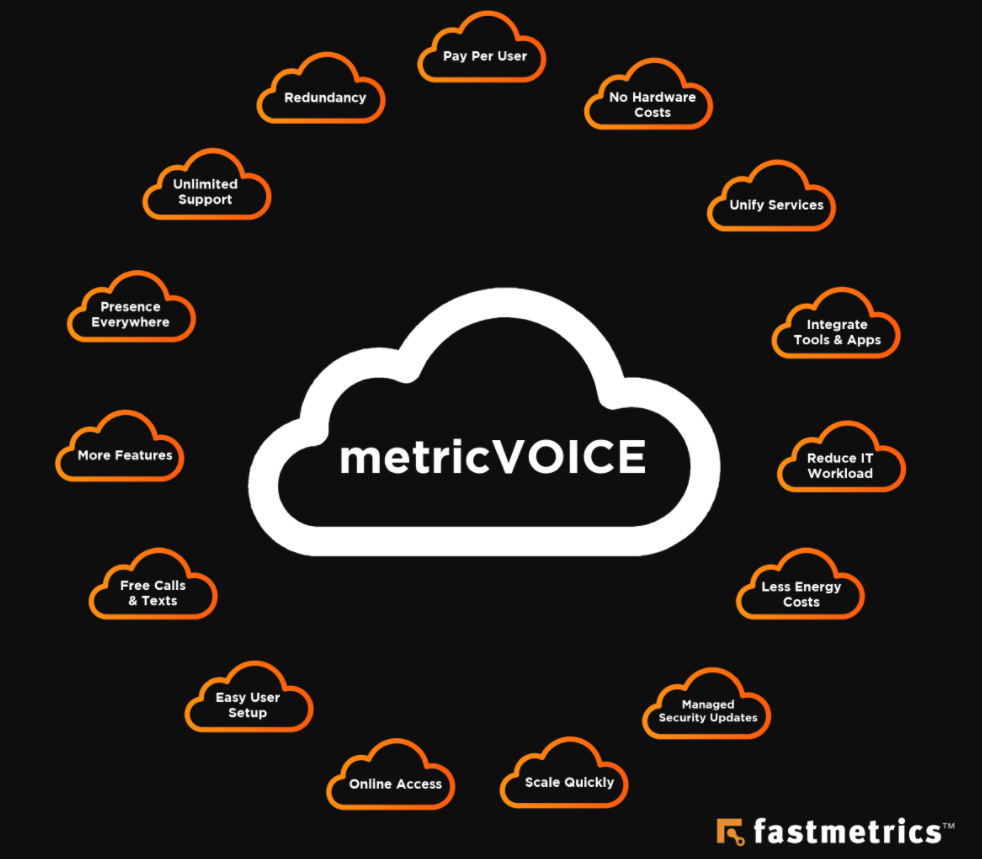
Let’s take a look at 15 benefits of UCaaS in the modern workplace:
1. Pay Per User
Phone systems hosted on the internet are typically charged on a usage basis. This means you pay for user space and bandwidth as it’s required. In addition, UCaaS phone systems hosted in the cloud provide access to multiple high-end features and upgrades, for minimal to no extra costs. Monthly fees are generally set per phone line, user or ‘seat’ by providers. The software nature of this type of system proves to be much more flexible and affordable over time.
2. No Hardware Costs
There are no hardware purchase costs associated with a UCaaS model, unless of course you require physical handsets or headsets for voice. UCaaS enables advanced functionality without the addition of expensive infrastructure. While leasing arrangements or add-on costs may be required for phones and other equipment, a leasing model enables businesses to adopt new technologies faster and scale operations more effectively without having to worry about initial expenses or outdated features.
3. Unified Services
UCaaS enables the complete integration of communications services. Common services include business voice and telephony; conferencing solutions for web, audio and video; email and unified messaging systems; instant team messaging; and dedicated desktop and web clients. Unified services help businesses to set up and manage virtual office solutions that align with their operational needs.
4. Integrated Tools & Apps
UCaaS helps to align key communications systems with common operating system tasks. With that, integrated communications systems are now included in most professional operating systems.
Many types of business applications benefit from UCaaS integration, including Customer Relationship Management platforms (CRMs), customer support, productivity, and data storage and management. According to IHS Markit, 60% of businesses view voice integration with business apps as critical. This goes to show that integrated communications services promote organizational efficiency and enhanced productivity.
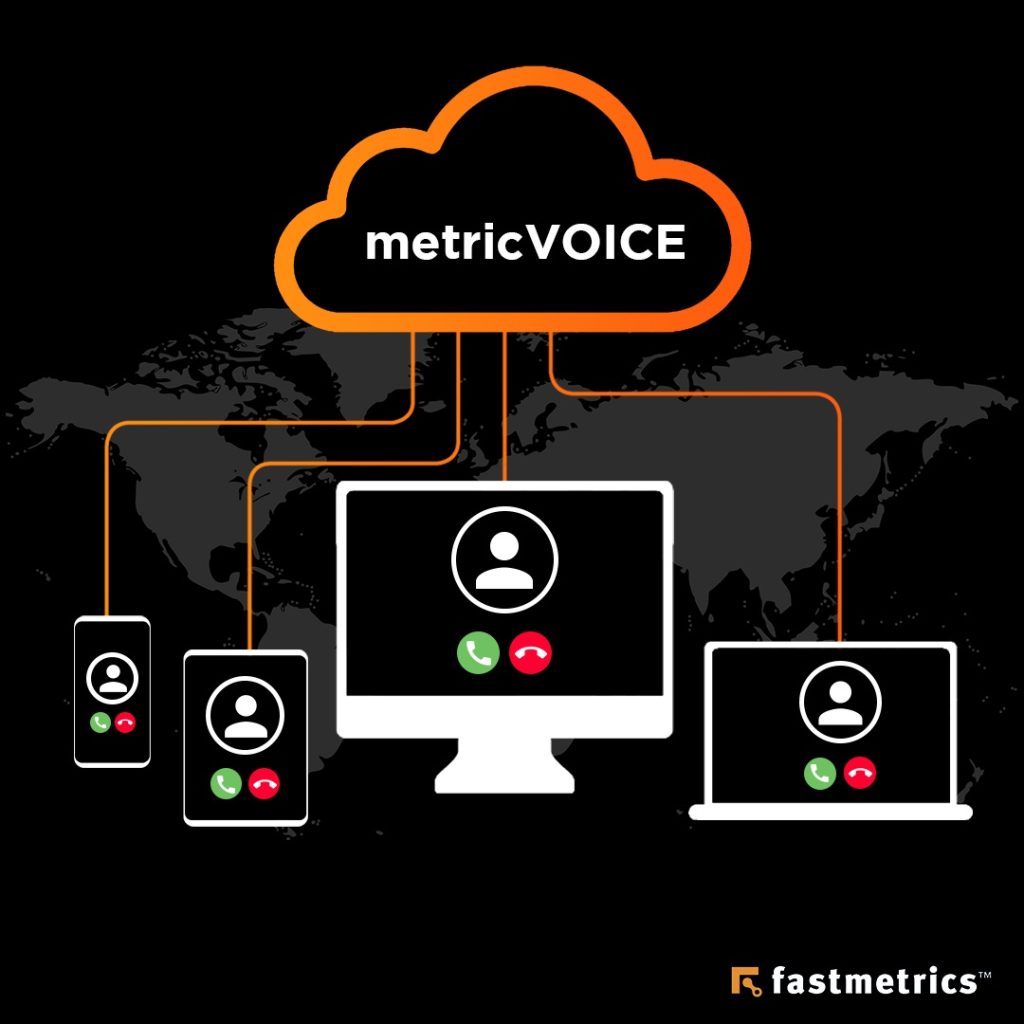
metricVOICE from Fastmetrics integrates with various apps, CRMs, browsers & IP phones
5. Reduced IT Workload
While modern businesses have more power at their disposal than ever before, lack of integration can easily lead to complexity and increased workloads. UCaaS solutions help to streamline workflows and reduce IT workloads across your organization. For example, the ability to communicate effectively from any location allows IT staff to work faster. The ability to align data assets with messaging tools enables IT teams to work smarter. In addition, when UCaaS providers manage communications off-site, your IT staff can focus on higher-priority areas or projects. This lessens the load for IT teams.
6. Less Energy Costs
The global movement away from isolated hardware solutions, towards integrated software solutions helps to reduce energy costs. Also to promote environmental sustainability. Cloud-based communications systems use less equipment and consume less power, thanks to centralized management and economies of scale. Using less energy is good for the environment and great for your operational budget.
7. Managed Security Updates
Software communications solutions delivered over the cloud are much easier to manage and much faster to update. Rather than relying on manual security updates tied to specific hardware devices, you can benefit from automated and tightly managed security solutions. UCaaS providers offer security certificates, industry expertise, and dedicated security resources to help mitigate risk and ensure business continuity.
8. Scale Quickly
The ability to scale and grow is the aim of most businesses. Cloud-based communications services are easy to manage and extremely scalable compared to traditional on-site solutions. You can quickly add or remove applications, update telephony resources, and manage users based on access requirements and security. It’s also much easier to analyze workflows and improve functionality over time. This flexibility is a major benefit to any organization, especially during an expansion or seasonal shift.
9. Online Access
The ability to align with and manage online resources is a major advantage of UCaaS communications. The online nature of messaging and conferencing tools makes them available at any time and from any location. This offers tremendous productivity benefits and enables a range of off-site and remote work opportunities. According to a report from Buffer, 98% of workers would love to work remotely for at least some of the time. In a modern world increasingly defined by big data and global networks, online access to communications simply makes sense.
10. Easy User Setup
Online communications systems are uncomplicated to set up, easy to manage, and simple to access. Cloud vendors that specialize in UCaaS solutions can migrate your system quickly and efficiently with minimum disruption to your work schedule. Once your system is set up and ready to go, new users can be added quickly and new groups can be managed effectively without compromising on security or compliance. As people get more accustomed to cloud systems and unified communications, the inefficiencies of current systems will become more widely recognized and the barriers to entry will get even lower.
11. Free Calls & Texts
Unified communications solutions offer free calls and texts to domestic and international locations. UCaaS solutions treat communications like any other form of data, providing significant cost savings. According to Fastmetrics, the cost of operating a phone system can decrease by 60-90 percent with a virtual PBX. Monthly managed services are more cost-effective and versatile than traditional phone systems. The adoption of cloud business phone systems also negates the need for hardware maintenance, ongoing management and unnecessary administration.
12. More Features
Unified communications technology has a much broader feature set than standard communications tools, including a wealth of features related to administration and maintenance, online integration, enhanced scalability, and built-in security. Common features include softphones, online fax machines, mobile apps, unified messaging, video collaboration, voicemail messaging, wireless mobility, digital receptionists, conference management tools, and CRM integration. The always-on availability of these features allows instant communication from any device and location.
13. Presence Everywhere
Regardless of industry sector or business size, popular UCaaS solutions promote better availability and collaboration in the workforce. The right service can provide new ways to connect with teams and customers, as well as key insights regarding presence independent of location. For example, you can see who’s online at any given time and manage your own presence based on need, location or workplace function. Advanced presence features may even show where a person is or what they are doing, which makes it easier to manage complex projects or clients.
14. Unlimited Support
Ongoing and trusted support is an important part of any cloud-based solution. Any initial migration phase can be challenging without help or the right expertise. So, it’s important to ensure access to continuous support and documentation. Ongoing support mechanisms to look out for include fast response times, efficient collaboration tools, 24/7 availability, product guides, and training and education programs. Working with a cloud vendor that offers unlimited helpdesk support is the best way to benefit from UCaaS.
15. Redundancy
Unified communications solutions offer numerous benefits over on-site PBX solutions. On-site hardware solutions are vulnerable to intrusion, human error, and disasters, including fires, floods, and power failures. Cloud-based communications systems, on the other hand, offer a range of redundancy features to mitigate risk and promote business continuity. Off-site storage promotes service and data integrity. Automated or managed security and update features help to ensure operational efficiency. Cloud-based services eliminate reliance on a single location or piece of equipment. This provides ongoing benefits for years to come.
Digital communications represents the future of the modern business landscape. Cloud-based communications technology is more unified, better integrated, and much more efficient than traditional tools. If you need help migrating to a cloud-based platform or phasing in UCaaS services, please reach out to our friendly and supportive team.
About Fastmetrics, Inc. Building & Business ISP
Since 2002, Fastmetrics is the Bay Area’s only dedicated business ISP. We provide telecommunication services in California and the San Francisco Bay Area. Reliable service – backed by better live and local support. From install to 24-7 proactive monitoring, get treated like a VIP customer. Not a number by a faceless call center. We specialize in managed business internet and phones, dedicated high speed business fiber internet, business WiFi, SIP voice solutions / UCaaS and managed network services. We are a Microsoft and Cisco Meraki Partner. Our team are Certified Cisco Specialists, Ubiquiti Enterprise Wireless Accredited and Polycom Authorized Solution Advisors. We take care of your business network, so you can focus on growth.
To support remote workers, communication and collaboration between teams and anyone, Fastmetrics now provides free video chat via meet.fastmetrics.com. Video conference completely free, with unlimited HD video calls. Meet with your team or anyone using your desktop, laptop or mobile. See our guide below on how to setup a video call and invite people to your meeting.
Note: The Chrome web browser is recommended by both Mac and Windows users to support the meet.fastmetrics.com free video call solution. For ALL browsers and some VPN users, ensure your VPN is not auto blocking WebRTC and that WebRTC is enabled in your Chrome browser.
Fastmetrics Free Video Chat – 10 Benefits
No sign up, account or software required
Free video calls (no time restrictions)
End to end encryption
Fully featured video and audio conferencing
Screen share and moderator options
Integrated chat messages with emojis (web only)
Managed video quality with HD, standard or low bandwidth settings
Participant talk time stats
Live stream function
Backed by the Jitsi open source developer community
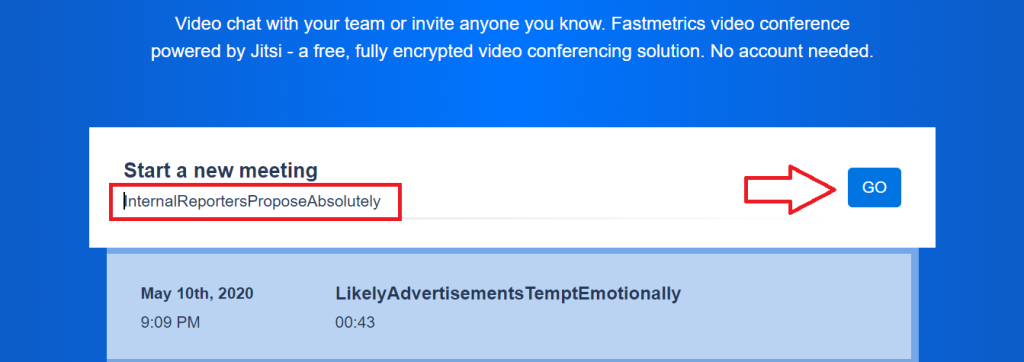
Click the blue ‘GO’ button, after the random meeting name generator populates in the white ‘Start a new meeting’ field. This creates your unique call URL, which you can now setup.
Alternatively, create your own descriptive meeting name in the ‘Start a new meeting field’ and please the blue ‘GO’ button.
Clicking ‘GO’ creates a meeting URL in a new tab in your browser
On the new meeting URL in your browser, create a meeting password (if desired).
Copy the URL from your browser (or from the ‘information’ or white circle with an ‘i’ on it)
Share your unique meeting URL with participants via email or your messaging service of choice
As the creator of the video call URL, you control the sharing of the URL and a password, if you choose to use a password
Are video calls high quality?
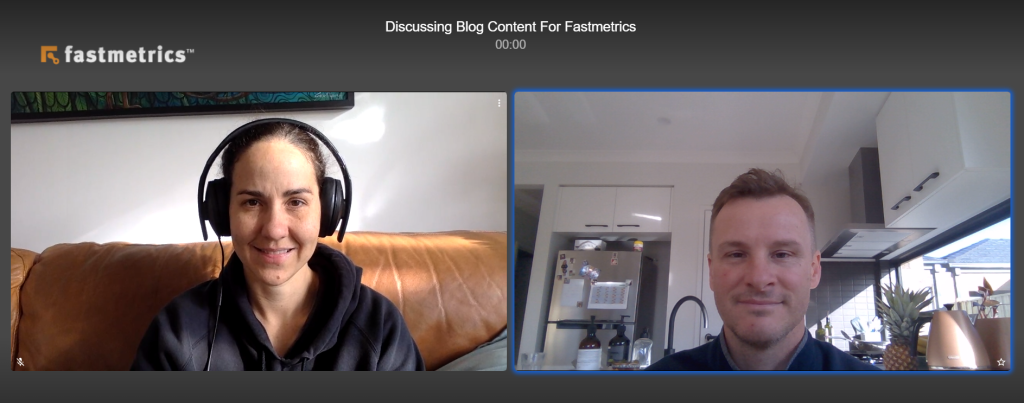
The Jitsi tech, which powers our free video calls, offers HD video conferencing. This can be adjusted to standard definition and also low bandwidth options. (It is important to remember that Internet connection quality and bandwidth can influence call quality). To preview video call quality, we encourage anyone to launch and try a free video call with meet.fastmetrics.com. Below are screenshots from a MacBook and a Lenovo laptop, for a two person call. As well as a three person video call, using the same laptops and an iPad.
2 Person Video Call Using A MacBook & Lenovo Laptop3 Person Video Call Using A MacBook, Lenovo Laptop & iPad
How do I setup a free video call from my mobile or cell phone?
For iOS or Android devices, install the free Jitsi meet app on your phone or mobile device.
The app is similar to the desktop version. You can now start free video chats directly from the app in your mobile device, or follow the below steps to start a call using the Fastmetrics video conferencing platform;
Click ‘Continue to the app’. This will start your video call in the Jitsi meet app
Use the ‘Invite others’ button to share your audio or video call with others
How many people can I have on a video call or conference?
‘Hard’ limit of 75 call participants is recommended
35 participants is the optimal ‘soft’ limit for a single call, to ensure high quality video
It is possible to add more participants than the ‘hard’ limit, if video is switched off for all users (especially for those with slow Internet connections)
It is also possible to reach a wider audience using the live stream feature, which will broadcast a call or conference via YouTube
The Jitsi developer community is currently looking into raising the ‘hard’ cap on a single call to 100 participants. A release is expected soon to upgrade this number.
How do I know my video chat or conference is secure?
Firstly, the Jitsi technology which powers Fastmetrics free video chat and audio calls is fully encrypted end to end. It is highly secure for two person calls to multi-party conference calls. A meeting room only becomes active, after the first call participant joins. Meeting rooms, chat data and speaker stats are all ‘destroyed’ when the last call participant leaves.
Secondly, it is highly recommended to set passwords on your video calls (although optional). It is easy to do though and adds an extra level of security. A password can be added or edited within the ‘information’ or white ‘i’ circle, in the bottom right of the screen call on a desktop or laptop. To do this in the mobile app, click in the ‘More options’ menu. Passwords must be shared by you, with meeting participants.
Finally, only share meeting URLs with required participants. Do not share or advertise meeting room names on public pages, websites, forums or social media channels. Unless you want strangers popping up in your video conferences!
Can I save a meeting for recurring video calls?
Yes. Every meeting created by you, is saved as a meeting name only in your browser @ meet.fastmetrics.com or in the Jitsi meet app. Video and audio are not active in this state. (Only the meeting name is saved, not the call). Additionally, dates and times that calls occurred and duration are also provided. For recurring calls, simply click on the link to reactivate the call, then share the link with participants you want to join.
Tips For Creating Secure Video Meeting Names
Tip 1: This free video call solution offers a random name generator. See it in action automatically in the ‘Start a new meeting’ field. Subsequently, it is not a requirement to create a new meeting name at all to create a call. Just click the blue GO button, after the random generator has completely populated a random meeting name.
Tip 2: If you do want a custom meeting name in the ‘Start a new meeting’ field, use descriptive, longer words. This reduces the chances of an unwanted guests joining your call or video conference. (Especially for large scale organizations or meetings with a lot of interest).
Example 1: https://meet.fastmetrics.com/videocall – very broad. Easy to guess. Unsafe. Example 2: https://meet.fastmetrics.com/fastmetricsvideocallmaytenth – descriptive. Unique brand name. Safer.
Pure vs Hybrid Cloud Models: Questions Answered For Data Analysts
There are landmark moments throughout history where innovations in technology have marked a change in how businesses operate. The creation of cloud technology is undoubtedly one of them. Now we have choices in the type of cloud services we can use. Comparing pure vs hybrid cloud models reveal there are pros and cons of each technology. Here on the Fastmetrics blog, we have already looked at how ushering in cloud technology created a new era in computing, affecting how many people work, across industries and across the world.
The cloud has made many tech professionals’ jobs much easier, from data analyst to data scientists. Having an easily accessible repository for big chunks of information, provides the necessary support for these professionals. This allows them to keep up with an increasingly fast-paced and mobile world.
In recent years, two different types of cloud models have emerged, with pure vs hybrid cloud models available. Each cloud model has its own set of benefits for data analysts. We’ll be looking deeper into the two types to determine what advantages each model has for data analysts.
Pure Cloud Model
A pure cloud model, also known as a private cloud model, has an on-premises cloud owned solely by a company or enterprise. Techopedia states that many opt for this model, because of the control and privacy it entails. Having a pure cloud model means there will be less risk of attack or a data breach. Data analysts who use this model prefer it because of the security and reliability it provides.
Using a pure cloud model means all aspects of the cloud are in your control. You decide on accessibility. The private cloud model is also very helpful for data analysts dealing with sensitive or high profile information or data.
Furthermore, Computer Weekly notes that “the key benefit of a pure cloud approach is that it is easy to implement, scalable and very well suited to organizations that don’t possess in-house IT department skills.” This means that analysts who are also filling other tech roles will be able to devote their time towards data analysis without worrying about troubleshooting.
Hybrid Cloud Model
A hybrid cloud model on the other hand is a mix of private and public cloud platforms. The creation of multiple service platforms has made it easier for companies to shift from the very rigid private cloud models and migrate towards locating their data and assets on public clouds. For analysts, this makes their data more accessible anywhere and at anytime.
The main advantage of the hybrid cloud is speed. As a data analyst, you need quick access to information in order to process it as fast as possible. And if you are using different types of software for the job, speed counts for a lot.
To be a competitive, data analysts must have skills across a multitude of software, including programming languages like Python and HTML. A hybrid cloud model will complement analysts dealings with multiple software, potentially increasing productivity.
There’s no concrete answer when it comes to the question of which of the two models work best. After examining the advantages of both, it’s clear to see that each has its own merits. In the end, it all depends on the nature of the business and how cloud technology can support processes and your output as a data analyst.
About Fastmetrics, Inc. Building & Business ISP
Since 2002, Fastmetrics is the Bay Area’s only dedicated business ISP. We provide telecommunication services in California and the San Francisco Bay Area. Reliable service – backed by better live and local support. From install to 24-7 proactive monitoring, get treated like a VIP customer. Not a number by a faceless call center. We specialize in managed business internet and phones, dedicated high speed business fiber internet, business WiFi, SIP voice solutions / UCaaS and managed network services. We are a Microsoft and Cisco Meraki Partner. Our team are Certified Cisco Specialists, Ubiquiti Enterprise Wireless Accredited and Polycom Authorized Solution Advisors. We take care of your business network, so you can focus on growth.