Category: Security

  • How Your Business Can Stay Safe Online In 2023 With These 3 Tips

    Business Safety Online In 2023

    Did you know that 74% of US organizations experienced a successful phishing attack in 2020? That’s up from 65% just one year prior. For perspective, only 56% of organizations in Japan experienced a successful phishing attack that same year.

    In fact, data breaches in the US have increased almost tenfold over the last two decades. One of the worst data breaches to date? The 2018 security breach of Apollo (a sales intelligence company) which resulted in more than nine billion compromised data points. 😯

    But losing data records is just part of the havoc that can come from cybersecurity crimes. Your business can also face legal and financial consequences due to a cyber attack. Just ask the credit agency Equifax. The company agreed to pay a $575 million settlement following a data breach in 2019. In other words, cybersecurity attacks are real, and they’re expensive. They can cause you to lose sensitive data, proprietary information, and a lot of cash. If you’re ready to rethink how your organization can stay safe online in 2023, we have a few tips up our sleeve that can help you establish a baseline. Ready to learn more? Let’s take a look.

    Why Cybersecurity Matters

    The average cost per data breach in the US is almost nine and a half million dollars. While no business operates perfectly, those that fail to harness the power of cybersecurity measures could be looking at facing serious consequences down the line.

    Statistic: Average cost of a data breach in the United States from 2006 to 2022 (in million U.S. dollars) | Statista
     

    What’s more, if you decide to find buyers for your business one day, your organization’s security could contribute to your company’s overall worth. That means, if you’re not set up to prevent and mitigate cybersecurity crimes, you could be looking at a lower business valuation. From protecting your brand’s net worth to preventing data leaks, viruses, and phishing attacks, there are endless reasons why cybersecurity matters. With that in mind, let’s take a look at three ways you can keep your business safe in 2023.

    1. Conduct Regular Cybersecurity Health Check-ups and Host Team Training Sessions

    Make a habit of conducting regular cybersecurity health check-ups. You can use tools to run automated health check-ups, run through your processes manually, and/or ask a cybersecurity specialist to handle routine scans for you.

    It’s also important to host regular team cybersecurity training sessions to keep your entire organization on the same page. If you’re not equipped to host training sessions, hire a cybersecurity expert to handle them for you. Be sure to also send updates to your employees as your company standards change. Notify them of any recent scammers or scams they should be on alert about — along with what to do if faced with a potential threat.

    2. Work Using Cloud-Based Systems

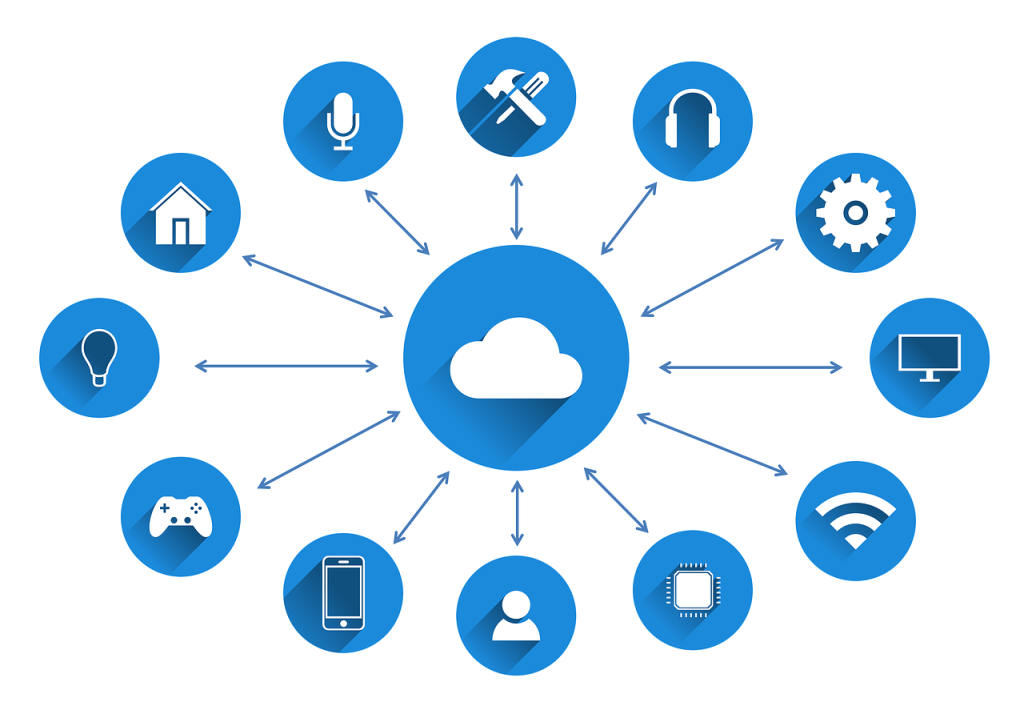
    Working inside of cloud-based systems may help prevent cybersecurity crimes for three crucial reasons. For one, you can store your system data in the cloud in triplicate — that means you’ll still have access to your system regardless if a natural disaster happens or if your data center experiences a server failure. Working in the cloud also means maintaining less hardware, resulting in fewer points of entry for cyber criminals to target.

    And finally, with cloud solutions, the information that travels between your devices to the cloud is fully encrypted. In other words, if someone attempts to access your data, they’ll need an encryption key to see it. Here are a few cloud based tools you might want to consider;

    Google Tools For Everyday Tasks: You’re probably all too familiar with Google tools already — but did you know you can use them to run a full host of business processes? From accounting to training to marketing, the sky’s the limit with the Google gods. And the best part is, most of these online tools are free!
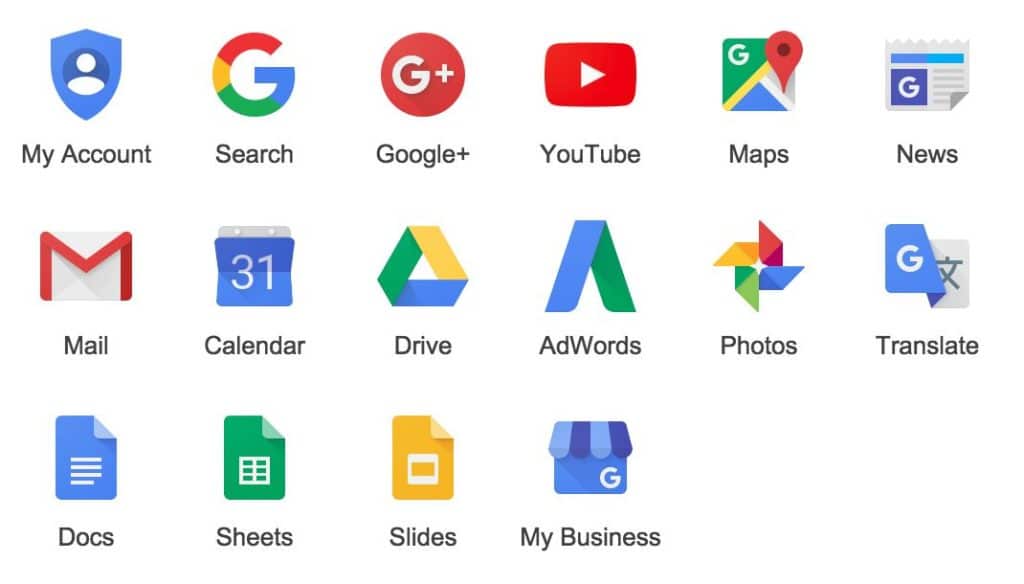
    Google Tools Available Online For Free - Google Offers A Variety Of Cloud Based Tools Which Are Secure And Less Prone To Attacks, To Protect Business Safety Onine
     

    ActiveCampaign For Sales Customer Relationship Management (CRM): Manage your prospect list and customer relationships using a safe sales CRM tool, like ActiveCampaign. You can also use ActiveCampaign to score leads and send segmented, automated email marketing campaigns.

    Plus for data capture and management: Capture, see, and share important information from all of your apps with Plus. An especially useful tool for setting up recurring dashboards and presentations.

    TSplus for remote control and support: Equip your IT and customer service teams to resolve tech issues and provide support faster with TSplus — a common TeamViewer alternative. And that brings us to…

    3. Store Data Safely

    Consider using a colocation data center, a space for servers and other computing hardware, to support your business apps and workloads in-house. It’s also wise to learn data storage and management best practices, such as how long to hold on to data and what legal policies you need to be aware of — share these with your team, too! You can also work using a Virtual Private Network (VPN) which keeps your data stored safely within a protected tunnel. Don’t forget to also enlist the help of other cybersecurity tools, too, like virus protection software and firewalls.

    Wrap Up

    Data breaches in the US have continued to snowball over the last two decades, making business safety online a key consideration for modern businesses. From losing pertinent data records to facing legal and financial consequences, cybercrimes can cost businesses millions of dollars (looking at you, Equifax!).

    That’s why taking the time to create a cybersecurity plan is so important. If you’re serious about keeping your business safe in 2023, we hope today’s article has given you the insight you need to make it happen. While the tips we shared today are just scratching the surface, they can help you establish a cybersecurity baseline.

    For good measure, here’s a quick recap of the tips we shared today:
    1. Conduct regular cybersecurity health check-ups and host team training sessions
    2. Work using cloud-based systems and SaaS tools
    3. Store data safely

    That’s it for now, friends. Stay safe in cyberspace!

    Author Bio: Shane Barker is a digital marketing consultant who specializes in influencer marketing, content marketing, and SEO. He is also the co-founder and CEO of Content Solutions, a digital marketing agency. He has consulted with Fortune 500 companies, influencers with digital products, and a number of A-List celebrities.

  • Small Business Cybersecurity: What You Need To Know

    Small Business Cybersecurity: What You Need To Know

    Small Business Cybersecurity Know-how

    Small business cybersecurity is dynamic and one of many issues which small and midsize businesses may encounter today. With more businesses than ever being online or relying on e-commerce to generate revenue, online security is a growing concern. Many small business owners struggle to keep their businesses cyber-safe. From assessing risks to obtaining suitable tools for managing that risk. In this article, we explore small business cybersecurity; the risks, reasons and some protection tips.

    Why Are Small Businesses Targeted By Cybersecurity Attacks?

    Valuable data: Hackers are aware that small businesses often deal in valuable customer data too, but may not have the cybersecurity protection in place of larger businesses. This data is simple to sell online, via the dark web. Data such as credit card numbers, medical records, bank information, and confidential business information can be targeted by hacking or cybersecurity breaches.

    Small Business Cybersecurity - What You Need To Know
     

    Computing power: Sometimes cybercriminals are primarily concerned with enlisting a company’s computers into a bot army to carry out large-scale Distributed Denial of Service (DDoS) attacks.

    Gateway to attack larger businesses: Businesses today are connected digitally to carry out transactions, control supply chains, and exchange information. Hackers may target smaller partners as a way to access the systems of major firms. Typically, larger companies are more difficult to breach.

    What Are Common Types of Cyber Attacks?

    Whatever their target is, hackers typically want to acquire sensitive data belonging to an organization, such as financial information like customer credit card details or identification. With enough information a hacker can use that to their advantage in a variety of harmful ways.

    Knowing about the typical types of small business cybersecurity threats, is the first step in protecting or safeguarding your business from such threats. Since small midszie business (SMB) cybersecurity is a dynamic issue, this is not a comprehensive list of potential dangers. But be aware of these common types of cybersecurity attacks;

    APT: Often known as an Advanced Persistent Threat, is a continuing targeted attack when a hacker enters a network in stages to avoid being discovered. An attacker tries to avoid exposure once they have gained network access and can establish a foothold there.

    Denial-of-Service (DoS): Takes place when servers or a network resource are intentionally flooded or bombarded with requests. This occurs at a scale until the target’s system is unavailable for its intended purposes. And can be brought to a complete stop. Halting trade or functions entirely.

    Distributed-Denial-of-Service (DDoS): Is basically a more elaborate version of a DoS cyber-attack. However, flooding occurs from multiple, distributed locations and not a single source. Therefore it is harder to mitigate, because blocking a single source won’t prevent it.

    Inside Attack: This is when a person with administrative access, typically from inside the firm, deliberately uses their identification to access sensitive company data.

    MITM: A Man-In-The-Middle attack is when two parties trade commodities such as data or digital information. A hacker infiltrates the connection by injecting malware that obstructs information flow in order to steal this crucial data.

    Phishing: Possibly the most widely used type of cybercrime, phishing assaults include gathering sensitive data, such as login passwords and card information, using a website that appears authentic but is ultimately a scam and is frequently provided to unwary people in emails.

    How To Protect Your Small Business

    At a basic level, have a safe Internet usage policy. Inform staff members on best practices for basic Internet usage and password protection. At an owner or manager level, other considerations are;

    • Phishing email detection
    • Responsible Internet usage and using a firewall
    • Preventing downloads of spam or malicious files
    • Consider Dedicated Internet Access (DIA), as opposed to cheaper shared alternatives
    • Authentication and password support (for example, using strong passwords and multi-factor authentication)
    • Safeguarding private vendor and personal customer data
    • Consider encryption or hashing software or solutions to add further data protection
    • Update operating systems, browsers, and antivirus software for system security
    • Enable solutions such as CWPP to monitor and detect threats from workloads operating in the public cloud
    • Using backup applications to automate the copying of files to secure storage. In the event of an attack, you can restore all of your files using your backups.
  • How To Properly Manage Digital Assets

    How To Properly Manage Digital Assets

    Key Digital Asset Management Tips

    In the past, managing documents including paperwork, photographs and more, meant having a physical copy or file. If you wanted to keep something, it needed a safe place where it wouldn’t get lost or damaged. However, with the advent of digital technology, many assets are now stored electronically. This has its benefits, but also some downsides if not taken care of correctly. It’s much easier to access and share digital files than physical ones. It means that you have to be more careful about managing digital assets.

    managing digital assets - from different devices and working environmentsHere are some key tips for properly managing digital assets;
    Use Albums / Folders

    Simple, right? Using online albums or folders for images, videos, documents or other files, is an easy way to organize digital assets that can be shared easily with others. For example, you may have a dedicated album of family photos to share with only relatives. Or another album of a work function. Albums are also easier to find. It can be challenging to keep track of everything with multiple files stored on your computer or devices. Albums make it easy to organize, find and share files with specific groups or indivduals.

    There’s no shortage of options for creating albums or folders online. Services like Google Photos store and organize photos and videos. File management software options like Evernote or OneDrive are useful for managing other file types. What matters is choosing a method that works for you and being consistent in naming and organizing files.

    Keep A Digital Asset Inventory

    A digital asset inventory is a list of all your digital assets. It includes everything from online accounts, social media profiles, digital files to documents. Creating an inventory of digital assets is crucial. It gives a clear overview of everything stored online. It also helps keep track of passwords and login information for different accounts. There are a few different ways to create a digital asset inventory. Use a spreadsheet application like Microsoft Excel or Google Sheets to create a list of all assets. Or, use a dedicated inventory management tool like Asset Panda. Whichever method chosen, include as much detail as possible in your inventory. For each digital asset, have a name, description, the URL or location of the asset, and login information (if applicable).

    Backup Files Regularly

    Backing up files is one of the most important measures to protect digital assets. File back ups create a copy to restore data if it is lost or corrupted. Options are endless regarding the different ways to back up your files. You may use an external hard drive, cloud-based storage, or even a USB flash drive. The important thing is to choose a method that works for you and to make sure that you back up files regularly.

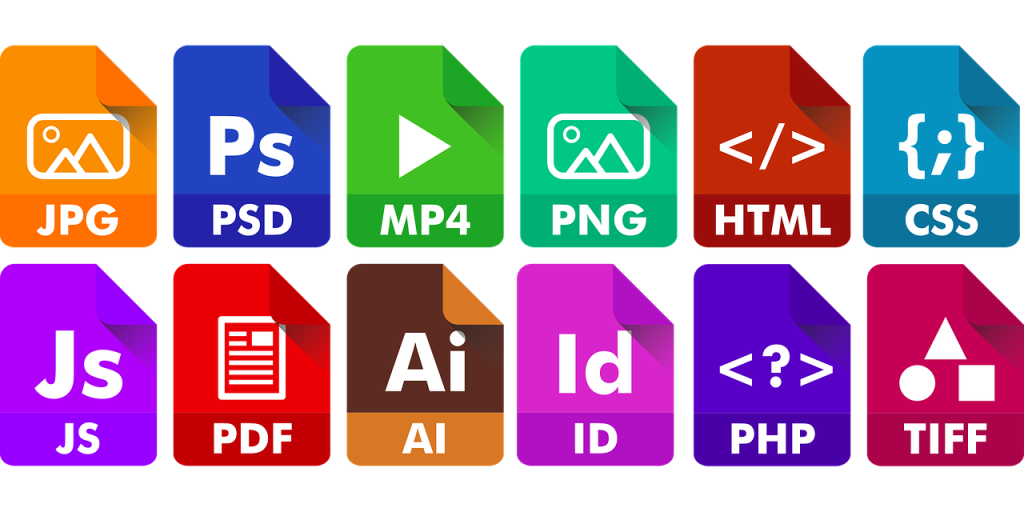
    Different file types that can be stored online

    Current trends in backups is to move away from local backups to cloud-based storage. Cloud-based storage is more convenient and typically more reliable. Tech experts are also planning to move away from full backups to incremental backups. Only new or changed files are backed up, saving time and storage space. It also helps achieve real-time backups, which back up your data as you change it. This ensures your data is always backed up and up-to-date.

    Consider File Upload Functionality

    If you have an app or website that needs to store customer data or digital assets, consider adding file upload functionality. This allows users to upload files directly. It also allows the collection and storage or User-Generated Content (UGC). User-generated content can be a valuable business asset. With further analysis, it can assist in business decisions, website or app improvements and the creation of marketing and promotional materials, or even be sold as a product.

    Either way, adding file upload functionality is a great way to add value to an app or website. For instance, Cloudinary is a cloud-based service that provides an easy way to upload, manage, and deliver digital assets. You can upload files directly from your computer or mobile device or import files from popular online services like Facebook, Instagram and Dropbox. But is there a Cloudinary alternative out there? These days, an endless amount of tools are available to help manage digital assets, through efficient uploading. There are platforms with seamless file upload infrastructure for the Internet, and it’s worth trying them.

    Focus On Password Handling

    Another critical way to protect digital assets is to use password protection. This means using a strong password that is difficult for others to guess. In addition, use different passwords for different accounts. It may seem like more work, but it’s important to remember that your password is the first line of defense against hackers and identity theft. Take the time to create strong passwords and using different passwords for different accounts. This helps protect digital assets and keep data safe.

    Also consider password managers. These are software or applications that can help generate and store strong passwords. They also help manage passwords by keeping them in a secure, encrypted database. One popular example is LastPass which has both personal and business options. Many different password managers are available, with varying features and benefits. However, they all serve the same primary purpose: to help keep digital assets safe, by creating and storing strong passwords.

    Use File Encryption

    Encryption is the process of transforming readable data into an unreadable format. You do this using software or hardware that uses unique algorithms to scramble the data. Once data is encrypted, it can only be decrypted by someone with a correct key. Encryption is a meaningful way to protect digital assets because it makes it much more difficult for hackers and identity thieves to access data. Even if they can obtain your data, they will not be able to read it without the correct key.

    Use encryption online to protect data

    There are many different types of encryption. The level of security needed will depend on the sensitivity of your data. For example, if you are storing financial information or other sensitive data, such as customer details, you will need a higher level of security. Choose an appropriate encryption method that works for you. Make sure to keep your key secure. If you lose your key, you will not be able to access your data.

    Consider A Virtual Private Network (VPN)

    A Virtual Private Network (VPN) is a type of network that allows connectivity to the Internet through a secure, encrypted connection. All data that you send and receive is protected from being intercepted by others. A VPN can also help to bypass geographic restrictions, allowing you to access websites and content that would otherwise be unavailable in your physical location. Businesses often use VPNs to protect data from being accessed by unauthorized individuals. However, individuals can also use them to protect their own digital assets.

    There are many different VPN providers to choose from, and they all offer various features and price points. Some popular VPN providers include;

    • ExpressVPN
    • NordVPN
    • TunnelBear
    • IPVanish
    • Surfshark

    When choosing a VPN, consider features such as security, speed, and reliability. Ensure the VPN is compatible with your devices and operating system. It’s also essential to consider what you’ll be using a VPN for. If you’re looking to stay anonymous online, many VPNs will work for you. However, if you’re looking to access region-locked content or bypass censorship, you’ll need to choose a provider with servers in appropriate locations.

    Be Careful What You Share Online

    When you share something online, it can be seen by anyone. That’s why it’s essential to be careful about what you share and with whom you share it. Before you share anything online, ask yourself if it’s something you would be comfortable sharing with strangers. If not, then don’t share it. Also, be aware of the privacy settings for websites and services. Many of them allow you to control who can see your shared information. Watermarks are a way to protect content from being stolen or used without your permission. By adding a watermark to content, you can make it much more difficult for someone to steal or use it without your consent.

    There are alternatives on the different ways to add watermarks to your content. You can use software to add watermarks automatically or manually add them yourself. The method you choose will depend on the type of watermarking content and how sensitive it is. For example, if you watermark photos you plan to sell, you will want a more sophisticated method than just watermarking blog posts. No matter what method you choose, the important thing is that you take steps to protect your own personal content.

    Update Software Regularly

    One of the best ways to secure digital assets is to keep software up to date. This includes your operating system, web browsers, and any other software you use. Hackers and cybercriminals are constantly finding new ways to exploit security vulnerabilities, with software which is out of date. When vulnerabilities are discovered, software developers and companies release updates to fix them. However, if you don’t install software updates regularly, software will remain vulnerable to hackers.

    It’s important to note that not all updates are created equal. Some updates are more critical than others. Always install the most important updates first, typically security patches. Any updates that fix a security vulnerability, should be installed as soon as possible. Most softwares allow automatic updates, which is the best option to ensure you’re good to go. You don’t have to check for updates manually.

    Automate Recurring Tasks

    You may perform many tasks regularly, such as backing up data or scanning for malware. These tasks can be automated so that you don’t have to do them manually. By automating these tasks, you can free up your time to focus on more important things. In addition, automating these tasks can help to ensure that they are done correctly and on time. For example, if you automate backups, you can be confident that data will always be backed up. If you automate malware scans, you can be sure that your devices will always be protected from the latest threats. There are many different options available for automation tools, and the best one for you will depend on your specific needs.

    However, there are a few things to consider when choosing automation tools:

    • Make sure the tool is compatible with your devices and operating system
    • Check if the tool can be customized to fit your specific needs
    • Make sure the tool is easy to use and understand

    Educate Teams On Digital Asset Management

    With a team of employees who work with digital assets daily, it’s essential to train or share knowledge around adequate management and protection of these assets. Employees should understand the importance of keeping digital assets safe, typically via a cyber or data protection policy. Important to know, is what steps to take, such as using strong passwords and installing software updates. In addition, have policies in place that dictate how your employees can use and access digital assets. Policies should be reviewed regularly and updated as needed. Via training from the right people and having policies in place, you and your team can help ensure digital assets are properly managed and protected.

    Digital assets are an essential part of most businesses and personal onlu use. It’s critical to take steps to protect them. The most important thing is to be aware of the risks. Take steps to mitigate them. By keeping software up to date, automating recurring tasks, and via team training and / or sharing knowledge, you can help to ensure proper digital asset management. This will ensure the best chance of protection.

  • Key Cybersecurity Metrics To Monitor

    Key Cybersecurity Metrics To Monitor

    Five Key Cybersecurity Metrics To Monitor In 2022

    Cyber insecurity has become a big concern, with hacking cases escalating every day. Today hackers are sharper, more equipped, and can effortlessly break into the most secure of networks. Failure to implement a comprehensive cybersecurity strategy can risk massive financial losses. For this reason, CSOs and IT managers should establish ways to explain to boards and decision makers why cybersecurity is critical. Also what value it brings to a business. With that said, here are five crucial cybersecurity metrics you need to monitor and present in 2022 to justify further investment into cybersecurity measures;

    1. Mean Time to Detect and Mean Time to Respond

    The mean time to detect and mean time to respond highlights the organization’s preparedness and capacity to identify and contain potential cybersecurity threats. Slow detection and response times can leave a company vulnerable and provide a prime target for hackers. If a company’s security mechanisms cannot detect and contain threats early, a business can experience massive financial losses. No worthy business leader would willingly allow an enterprise to operate at a deficit, if it can be prevented.

    Hacker with face mask - hacking attempts on a network are one of 5 key cybersecurity metrics to monitor in 2022

    Providing management or a board with a graphical representation of the cybersecurity situation can help validate cybersecurity investment. Ideally, collect and plot incidents. Explain severity levels. Highlight response and remediation times, to demonstrate whether the company requires advanced tools or current tools are providing optimum protection. The primary goal is to protect a business’s intellectual property by improving existing cybersecurity mechanisms and systems.

    2. Systems With Known Vulnerabilities

    Establishing the number of systems in an organization with known vulnerabilities is another critical cybersecurity metric to monitor. Identify these assets by performing a vulnerability scan using available programs. Vulnerable systems and software must be patched with the latest security updates to avoid loopholes that online intruders might use to attack a company or organization. Most software developers release patches and updates to help fix minor bugs and seal security loopholes. However, managing and monitoring these patches can be complicated since they require one to be consistently on the lookout.

    Fortunately, you can check patch release dates of individual applications, programs, operating systems, and other software by visiting a developer’s website. Enforcing a vulnerability management program is also another excellent idea to deal with potential threats. Promptly patching and updating vulnerable applications, operating systems, and tools demonstrates that you are on top of the game and all systems are up to date with the latest security patches.

    3. Detected Hacking Attempts

    Another cybersecurity metric worth checking is the number of detected hacking attempts. Stats displaying intrusion attempts can confirm if a company has and will continue to be a target for hackers. This gives a picture of the number of threats a business is likely to face. If the current security mechanisms are working and threats are minimal, a board and management may assume a company is no longer a prime target. However, nothing could be further from the truth.

    Hackers are cunning individuals, and can make a point to attack when least expected it and vulnerable. Sharing stats and metrics highlighting intrusion attempts can help convince a board to invest more in cybersecurity. Statistics prove that threats still exist and continue to grow as a business expands its online and offline presence.

    4. Insider Threats Detected

    Many people mistakenly assume cybersecurity threats and attacks originate only from outside a company or organization. However, insider threats exist and are a significant concern given the nature of these type of attacks. As the name implies, insider threats are security risks that originate within your organization. This may be from current or former employees, contractors and business associates. People with direct access to your network and data can leave a trail of destruction if they opt to sabotage a business, or do so unwillingly. Examples of insider threats include data loss and identity theft. Sharing cybersecurity metrics can help demonstrate the gravity of an issue. Also why any business or company should reinforce existing security measures to quell potential threats. One effective way to prevent insider threats is to build, implement, and manage a zero-trust framework into an organization.

    5. Data Volume Generated by the Business

    No matter the size of the company, nearly all organizations generate plenty of valuable data that they can use to produce better products and improve service delivery. If you know how to create a Google Review link on your website, you can redirect customers to your company’s testimonial page, where they can leave reviews and comment about your products and services. This can also classify as valuable data generated by the business.

    Even though an organization’s overall data volume is not necessarily a cybersecurity metric, it highlights what is sent through a given company’s network. Convince upper management to invest in upgraded security tools to secure and safeguard this data from unauthorized access or hacks, to respond promptly to mitigate any issues accordingly.

    Cybersecurity is critical for growth, sustenance, and business success. Without proper security measures, businesses can become a prime target for hackers and other malicious individuals. The damage caused can lead to massive financial repercussions. Knowing what metrics to monitor can help secure your company’s network from threats and support investment. Presenting these stats to business leaders can also validate any allocated funds spent.

  • Launching A Mobile App? Here’s How To Maintain User Privacy

    Launching A Mobile App? Here’s How To Maintain User Privacy

    Mobile App Developer? Be Aware Of User Privacy

    Mobile app development is on the rise, with new apps released daily. The mobile app industry is attracting all sorts of businesses, with some companies being entirely app based. The main fuel of  the growth in app development is the use of tablets and smartphones. However, there’s one thing all mobile app developers need to ensure; user privacy.

    Why is user privacy an issue for the success of any mobile app?

    Mobile apps depend on customer data. Data may include photos, personal email accounts, phone numbers, locations, contacts and more. If data isn’t secure, it may lead to breaches and identity theft. If you’re planning to develop an app or you’re working on one already, implement the following tips to keep user data secure. These tips are the solutions towards remaining compliant with data privacy policies as well.

    mobile app development - developers reviewing app designs on desktop and mobile device

    1. Select A Security Lead
    Mobile app development may be a solo project or with the help of a development team. If working with others, consider appointing a team member to be the app security lead. This role will be key to ascertain security in each stage of the app’s development. If possible, also consider hiring professional support to help with app security. This should be based in your local city or country. For instance, if developing an app in the the United Kingdom, you may consider local IT support in London from experts like Mustard IT and other professionals who specialize in this type of service.

    2. Evaluate Information You Plan To Collect / Retain
    Mobile app users must know any information you’re collecting and where it might be used. Be transparent from the start. Inform users about any third parties that may use a person’s details. Only collect information you’ve stated you will collect.

    3. Understand How Mobile Apps Differ
    There are several mobile operating systems. They all utilize different application programming interfaces (APIs). An API has a variety of security features and permission handling. Know your code and adapt to it. APIs can be prone to hacks, ensure you secure yours. Modify your app to allow legal access to data only.

    4. Don’t Rely On One Security Platform
    Mobile use and application development is constantly evolving and prone to new cybersecurity threats and hacking. As a result, the need for strong data security is an emerging issue. This has brought forth the development of platforms that help developers enhance user privacy. As a mobile developer, it’s essential to understand the platforms available and educate users on utilizing them to keep data safe. However, make sure to utilize a diverse range of security platforms.

    5. Develop Safe Credentials
    Does your mobile app require usernames and passwords? If yes, how do you ensure information isn’t prone to cyber-attack? Multi-factor authentication can assist greatly here. This allows a user access, only after providing more than one factor via a mobile app. If a third party steals someone’s password and username, they won’t be able to access an app, as they won’t be able to provide the other info to authenticate access.

    6. Encrypt Your Data
    Data privacy is a key concern to users across the world. Many companies have been fined heavily due to breaching privacy laws. One permanent solution is data encryption. This refers to the transformation of data to a code or another form. This is done to ensure information is restricted to a specific group of people (people with a key or password). Many industries use data encryption, resulting in more trust to their clients.

    7. Avoid Storing Passwords In Plain Text
    If user passwords are stored in plain text, they are more susceptible to malicious attacks or hacking. If an app keeps getting hacked, it may be removed from app stores or the company in charge of data privacy may terminate it. Additionally, this leads to a bad reputation and you may lose customers and revenue.

    8. Stay Engaged With Users
    Once you release the mobile app, keep in touch with app users. Keep security libraries updated. Take note of responses from your customers and act upon any bug reports quickly. Fix errors or vulnerabilities efficiently, to keep hackers at bay. If an app user reports cases of attempted data theft, act on these to minimize cases of cyber theft.

    Takeaway
    Mobile app development is a growing industry. There are still challenges when it comes to data privacy. There are numerous cases of data breaches. The good news is there’s a remedy for this. As a mobile app developer, firstly be aware of the importance of security in the process of developing a mobile app. From there, implement the above tips to maintain user privacy.

    About Fastmetrics, Inc. Building & Business ISP

    Since 2002, Fastmetrics is the Bay Area’s only dedicated business ISP. We provide telecommunication services in California and the San Francisco Bay Area. Reliable service – backed by better live and local support. From install to 24-7 proactive monitoring, get treated like a VIP customer. Not a number by a faceless call center. We specialize in managed business internet and phones, dedicated high speed business fiber internet, business WiFi, SIP voice solutions / UCaaS and managed network services. We are a Microsoft and Cisco Meraki Partner. Our team are Certified Cisco Specialists, Ubiquiti Enterprise Wireless Accredited and Polycom Authorized Solution Advisors. We take care of your business network, so you can focus on growth.

    Microsoft Partner logo - Fastmetrics      Cisco Certified Specialist  Ubiquiti Enterprise Wireless Admin (UEWA) Accredited

  • Pros & Cons – Outsourced IT Support Services

    Pros & Cons – Outsourced IT Support Services

    Outsourcing IT Support Services – Benefits & Disadvantages

    In the current digital age, most businesses rely heavily on technology such as computers, software, networks and data to function efficiently. Information technology (IT) efficiency has become increasingly essential to ensure the smooth operations of a company or business. In some cases, businesses may consider hiring dedicated in-house IT staff to manage necessary IT services. Other companies look to outsource their IT support to Managed Service Providers (MSPs).

    Why Most Firms Are Outsourcing Their IT Support Today

    Hiring in-house IT experts may seem advantageous to have staff immediately at hand in case of an issue. However, many businesses today are moving toward Managed Services Providers (MSPs). There’s a few major reasons why. One major reason is operating costs. The cost of hiring skilled technicians is not a cheap exercise.

    outsourcing IT support can help keep the cogs in motion at your business

    Whilst readily available IT support and skills are often advantageous, in-house IT employees require wages and other benefits, such as pensions and insurance. On the other hand, a company only pays an MSP for the services rendered during an agreed period. This means a company, firm or business can save on payroll and only pay for services required. However, a few factors must be considered for an enterprise to enjoy such a benefit, and several others mentioned below.

    Firstly, outsource to an MSP which is within traveling distance to your own offices or business. For instance, if a business is in London, IT support by EC-MSP or similar a company in the same city will be more suitable. This is mainly due to being on the same time zone. Additionally, it allows the ability of an MSP to respond to emergency issues in person, if required. This aspect is important to avoid downtime. Secondly, businesses should look to work with an MSP whose employees are experienced. Be sure to review qualifications and industry certifications of any Managed Service Provider’s technicians and staff.

    Advantages of Working With IT Support Providers

    By working with an MSP, your company can enjoy several other benefits besides saving on employment costs. Some of these advantages include:

    Increased Focus
    Outsourcing IT support means businesses can focus on factors crucial for success. These may be customer acquisition, increasing revenue, or hiring talent for growth. It is also common for large businesses with dedicated IT teams and CTOs to still outsource certain tasks to MSPs. MSPs often specialize in particular areas, such as server management, data networks, SD-WAN, apps, UCaaS and voice networks and other aspects of modern business infrastructure. This brings Subject Matter Experts (SMEs) and knowledge not possible for busy in-house IT teams to obtain, due to time constraints supporting staff for business growth.

    Increased Security
    The present digital era exposes companies to numerous cyberattacks. Working with the best MSPs guarantees efficient security for your firm’s hardware, network and data. Moreover, you can enjoy additional benefits such as remote monitoring and ‘remote hands’ such as those offered via solutions such as LogMeIn. This helps ensure business data, information and systems are safe 24/7. Continuous monitoring can be advantageous to a company, regardless of size. This helps prevent the risk of cyberattacks and speeds up the response to any downtime.

    Access To Improved Technologies
    The IT industry is believed to be among the most volatile sectors in the world. Software and hardware change rapidly. Today’s latest solutions are likely be replaced within a short time by more advanced technologies. Without an IT expert in your company, it can be hard to keep up with the latest advancements to help improve work processes. In most cases, in-house IT professionals have duties besides technical support. This means limited time researching and implementing the latest best practises in the industry. However, IT is a common line work for most MSPs. They provide clients the most recent and efficient technological solutions.

    Disadvantages of Outsourcing IT Support Services

    Despite the several benefits offered by MSPs, there are some disadvantages to them when it comes to IT support services. Some of these include;

    Loss of Control
    A major factor that discourages companies from considering MSPs is the loss of control of existing IT support service processes. Outsourcing means an external body will be responsible for some functions and management of tasks. Even with provided guidelines on what you need accomplished, an MSP might not manage IT tasks to desired standards.

    High Improvement Costs
    An MSP may require upgrades to existing software, hardware, routers / switches or even firewalls, if what’s currently used is outdated. Such changes can be expensive one-off costs for your company. Even so, there are often valid reasons for these types of updates (such as security). Long term benefits may be improved company efficiency and output, which can enhance business growth.

    Immediate Responses May Be Challenging
    A professional working as a full-time employee might offer a faster response to IT issues. On the other hand, an MSP may have contracts with several other companies, meaning all their workers may be engaged occasionally and can’t attend to immediate IT needs. In such cases, there can be low productivity until an issue is resolved. To ensure this doesn’t happen, make sure your MSP provides regular maintenance for all hardware and programs. Overall, outsourcing IT support services can be beneficial.

    Additionally, an MSP can improve cybersecurity, and offer access to advanced technologies. Both of these benefits can help boost productivity. Although outsourcing may be a tough decision to make, it can be beneficial in the long run. When choosing an MSP, ensure you pick one which gives you more pros than cons.

    About Fastmetrics, Inc. Building & Business ISP

    Since 2002, Fastmetrics is the Bay Area’s only dedicated business ISP. We provide telecommunication services in California and the San Francisco Bay Area. Reliable service – backed by better live and local support. From install to 24-7 proactive monitoring, get treated like a VIP customer. Not a number by a faceless call center. We specialize in managed business internet and phones, dedicated high speed business fiber internet, business WiFi, SIP voice solutions / UCaaS and managed network services. We are a Microsoft and Cisco Meraki Partner. Our team are Certified Cisco Specialists, Ubiquiti Enterprise Wireless Accredited and Polycom Authorized Solution Advisors. We take care of your business network, so you can focus on growth.

    Microsoft Partner logo - Fastmetrics      Cisco Certified Specialist  Ubiquiti Enterprise Wireless Admin (UEWA) Accredited

  • Top Cybersecurity Threats: 2021

    Top Cybersecurity Threats: 2021

    What Are Some Typical Cybersecurity Threats In 2021?

    As remote work, learning and teaching continues to grow, many companies who did not need to consider cybersecurity, are now are faced with new challenges. Global cybercrime is growing. It is expected to increase over the next few years. Companies that got by without major cybersecurity support may need to reconsider. Cyberattacks can be devastating for a company’s reputation, not to mention the threat of lost data or compromised information. There is nothing more damaging than becoming the victim of a cyberattack. Trust is hard to win back. Customers will take their business elsewhere to protect personal information.

    malware infected laptop with black pirate flag on red background

    If your business is starting the process of working out what kind of cyber security solutions need to be put in place to prevent attacks from increasingly sophisticated threats, don’t fret. There are various types of cybersecurity threats. But if you know what they are, you can plan to protect yourself and your business. Below are some of the latest from 2021.

    Top Cybersecurity Threats For 2021

    1. Cloud Threats
    Perhaps the most common, and the most dangerous security threat to any company is a cloud-based attack. The cloud has become the place to store all kinds of information that is sensitive and intended to stay private. While this helps with efficiency and cutting costs, it can open any size company up to cyberattack. The major issues that expose business up to a cloud attack are cloud app vulnerabilities, incomplete data deletion, and incorrect configurations. It is wise to spend a little more on your cloud app support to protect your data. This makes sure that access is controlled carefully. All it takes is one password that goes astray to become the victim of this kind of attack.

    cloud computing service types including IoT

    2. Insider Attacks Growing 
    This threat is all too common and harder to prevent than you might think. 30% of security breaches occur due to internal actors. This can come in the form of malicious attacks as well as negligence on the part of employees. In either case, the trouble with insider attacks is that you have to trust your employees with a certain amount of security freedom, to do their jobs. This can lead to issues related to unauthorized logins, installing of applications that are not approved, users incorrectly given admin access to a device or application, or even the addition of devices that are not approved to be on the network.

    3. Phishing Attacks
    An old classic that is enjoying new life lately, phishing continues to be one of the primary ways that bad actors gain access to your data. Emails that are designed carefully and worded just right can trick even the most loyal and educated employees. Sadly, these phishing attacks grow ever more sophisticated and it has become more difficult to use protection software to grab them before they get to users. The best defense for this type of attack is an educated workforce along with email protection software.

    4. Remote Access Attacks
    As work from home becomes more common due to COVID-19, it has highlighted the need for better and truly secure remote access options for your company. Hackers are increasingly skilled at gaining access to remote access points that are not well-protected. There is really no excuse anymore for not using a top-of-the-line remote access VPN structure to protect off-network access. Remote endpoint management tools can help with security in these situations and it never hurts to educate your employees about the threat that their off-site access can pose to company data.

    5. Deep Fakes
    Machine learning and AI intelligence are growing areas of research and they have birthed a means to manipulate videos or images to show activity that did not actually happen. This means that fraud activity might be disguised through this method of security attack. This kind of malicious intent is not as common as other items on this list, but it is likely to become a daily part of cybersecurity risk in the not-to-distant future.

    6. Malvertising
    This new malicious threat uses ads to spread malware. The slight lull in malware as a cyber threat has gone away with this new and unfortunate means to deposit malware onto devices. These threats are a new form of the old browser-locking webpages and fake alerts about computer virus infections that have worked for years. This is another threat that can be remedied by a correctly educated workforce. While more sophisticated, these ads are still quite easy to detect if you make sure that your workforce knows what to look for.

    7. Ransomware
    Last, but certainly not least, ransomware is likely never going to go away. This sophisticated process utilizes hackers who gain access to company data through Dark Web ransomware kits. These kinds of attacks are successful annually against major companies as well as smaller entities.
    This is an expensive attack to resolve as you will almost certainly have to pay the ransom to get your data back.

    cybersecurity - key with computer chip attached

    Protect Yourself Before You Become a Victim

    Never assume your business or company will not be the victim of a cyberattack. If you have employees working from home, or you do not have security processes or measures in place, this can be exploited by ‘bad actors’. Investing in cybersecurity protection or at a minimum, following best practice, is a small price to pay, rather than being the victim of a malicious attack. Educate employees and protect your company with the best cyberattack prevention tactics from the beginning. In cybersecurity, the best defense is a good offense.

    About Fastmetrics, Inc. Building & Business ISP

    Since 2002, Fastmetrics is the Bay Area’s only dedicated business ISP. We provide telecommunication services in California and the San Francisco Bay Area. Reliable service – backed by better live and local support. From install to 24-7 proactive monitoring, get treated like a VIP customer. Not a number by a faceless call center. We specialize in managed business internet and phones, dedicated high speed business fiber internet, business WiFi, SIP voice solutions / UCaaS and managed network services. We are a Microsoft and Cisco Meraki Partner. Our team are Certified Cisco Specialists, Ubiquiti Enterprise Wireless Accredited and Polycom Authorized Solution Advisors. We take care of your business network, so you can focus on growth.

    Microsoft Partner logo - Fastmetrics      Cisco Certified Specialist  Ubiquiti Enterprise Wireless Admin (UEWA) Accredited

  • How Is Encryption Different From Hashing?

    How Is Encryption Different From Hashing?

    What Is Hashing? How Is It Different To Encryption?

    A security breach can result in loss of reputation, customer dissatisfaction and financial losses for any company. For the handling of sensitive data, it is important to use data security methods like hashing and encryption. You can think of hashing and encryption as two sides of the same coin. Both functions are used for data encoding and to prevent malicious activity. Encryption for these two functions is done with the help of algorithms that provide privacy. With so many similarities it is not surprising that the two terms are confused with each other quite often.

    A VPN is one way to encrypt your connection for security but what is hashing
    A VPN Uses Encryption For Security

    Security is an extremely important parameter when we talk about communication systems. If you are in charge of data and communication systems, then you must be aware of the computing terms hashing and encryption. These two terms are often confused with each other. Whereas, in reality, they are different in both theory and practice. Our article today highlights the difference between the two. But before we understand the differences between each of them, let’s understand the individual terms in detail.

    What Is Hashing?

    A hash refers to a random number generated from a specific string. Hashing is a method used to perform one-sided encryption. One-sided or one-way encryption means that you will not be able to decode the information via a predefined key. A hash that is once produced for a certain string cannot be produced for another which means that a hash is unique.

    Below are a few attributes of hashing:

    1. An input hash will produce a unique output hash only.
    2. When an input string has been hashed it is not possible to reverse the output back to the input.
    3. Several inputs will result in a different output.
    4. If you are modifying any element of the input it would change the structure of the hash.

    Hashing is essentially used to compare data that is in large value. It is relatively easier to compare hash values instead of the data itself. Moreover, it is easy to find data record once it has been hashed. Hashing also prevents the duplication of data and makes online transactions safer.

    What Is Encryption?

    It is really important to know what encryption is, as data breaches are on the rise, and no organisation is safe. The process of encrypting information is known as encryption. Data that has been encrypted can only be decrypted by using a decryption key. This key is only accessible to those who are in charge of the security system at the receiver end. This way the system remains protected and seamless communication can take place between parties. Encryption is known to be one of the most effective ways of securing data.

    There are several types of data encryption that serve different purposes:

    1. Symmetric encryption: the same key is used to encrypt and decrypt data.
    2. Asymmetric encryption: there are two keys involved in this type of encryption; a public key that is known to everyone and a private key that is only known to the receiver.
    3. Hybrid encryption: as the name suggests hybrid encryption uses both types of encryption to make a powerful blend that focuses on the advantages provided by both of them.

    What Are The Key Differences Between Hashing and Encryption?

    The major difference between encryption and hashing is that encryption is a two-way function that includes both encryption and decryption while hashing is a one-way function that changes data into an irreversible output. Hashing allows the users to validate data by recognizing all the differences to the output. The purpose of encryption is to encrypt data to make it more secure and less vulnerable to external attacks.

    In a nutshell, hashing and encryption both provide means of providing security to data and maintaining privacy. But don’t you think business owners would be more interested in hashing as it is almost impossible to break the code? However, at the same time, it is also important to encrypt data so that it can be deciphered at the receiver end. Hashing is more useful in instances where data needs to be stored rather than being transmitted.

    The clear differences between the two are the reason why businesses need to understand where they should use hashing and where they should use encryption to maximize the advantages provided by both the functions.

  • What Is A Firewall & What Does It Do?

    What Is A Firewall & What Does It Do?

    What Is A Firewall?

    You may have heard of the term ‘firewall’ when referring to IT or Internet security. Maybe even in a literal sense – a wall which actually stops fire. But what is a firewall? What do they do? How do they work? Why are they important for network security?

    Video: Network Firewall Questions Answered

    Find answers in this short explainer video from PowerCert Animated Videos. (FYI – PowerCert have lots more great IT and technology related videos on their channel).

    Video transcript: What is a firewall? Now a firewall is a system that is designed to prevent unauthorized access from entering a private network by filtering the information that comes in from the internet.

    A firewall blocks unwanted traffic and permits wanted traffic. So a firewall’s purpose is to create a safety barrier between a private network and the public internet because out on the internet, there’s always going to be hackers and malicious traffic that may try to penetrate into a private network to cause harm and a firewall is the main component on a network to prevent this.

    A firewall is especially important to a large organization that has a lot of computers and servers in them because you don’t want all those devices accessible to everyone on the internet where a hacker can come in and totally disrupt that organization. So that’s why you need a firewall to protect them.

    So a firewall that’s used in computer networks is very similar to how a firewall works in a building structure. In fact that is where the word “firewall” came from. A firewall in a building structure provides a barrier, so that in the event of an actual fire on either side of the building, the firewall is there to keep the fire contained and to keep it from spreading over to the other side.

    So the firewall is there to keep the fire from destroying the entire building. But if the firewall wasn’t here, the fire would spread over to the other side and then the whole building would be destroyed and a network firewall works in a similar way as a structure firewall. It stops harmful activity before it can spread into the other side of the firewall and cause harm to a private network. So in today’s high-tech world, a firewall is essential to every home and especially in a business or an organization to keep their network safe.

    Now a firewall works by filtering the incoming network data and determines by its rules if it’s allowed to enter a network and these rules are also known as an “access control list”. These rules are customizable and are determined by the network administrator. The administrator decides not only what can enter a network but also what can leave a network. So these rules either allow or deny permission.

    what is a firewall - blue internet attack monster

    So as an example here, we have some rules in a firewall’s access control list and it shows a list of IP addresses that have been allowed or denied by this firewall. As you can see, traffic from some IP addresses are allowed to enter this network. But traffic from one IP address has been denied.

    So if traffic from this IP address tried to get into this network, the firewall will deny it because of the rules that are set in the firewall. But the other IP addresses are granted access because the rules allow them. Now firewalls don’t just make rules based on IP addresses. But they can also make rules based on domain names, protocols, programs, ports and keywords.

    So let’s say in this example the firewall rules are controlling access by port numbers and let’s say that the rules have allowed incoming data that’s using port number 80, 25 and 110 and the data using those ports had been given access to this network. So any incoming data that’s using those ports can pass through the firewall. But also in this firewall, the rules have denied any data that’s using port numbers 23 and 3389. So any incoming data that’s using those port numbers, the firewall will deny access and it won’t get past the firewall.

    So in a nutshell, this is how firewalls basically work. Now firewalls do come in different types and one type is called a host-based firewall and this is a software firewall. This is the kind of firewall that is installed on a computer and it protects that computer only and nothing else.

    So for example, later versions of Microsoft operating systems come pre-packaged with a host-based firewall and you can see that example here and there are also third party host-based firewalls that can be purchased and installed on a computer. So for example, Zone Alarm, which is a popular third party host-based firewall and also a lot of antivirus programs will have a built-in host-based firewall.

    Another type of firewall is called a network-based firewall. A network-based firewall is a combination of hardware and software and it operates at the network layer and it is placed between a private network and the public internet.

    But unlike a host-based firewall where it only protects that computer, a network-based firewall protects the entire network and it does this through management rules that are applied to the entire network so that any harmful activity can be stopped before it reaches the computers.

    Now network-based firewalls can be a standalone product, which is mainly used by large organizations and they can also be as a built-in component of a router which is what a lot of smaller organizations rely on or they can also be deployed in a service provider’s cloud infrastructure.

    Now a lot of organizations will use both network-based and host-based firewalls. They will use a network-based firewall to protect the entire network as a whole and they will also use host-based firewalls for their individual protection for their computers and servers. By doing this, it will ensure maximum protection because if harmful data just so happens to get past the network firewall, the host-based firewalls on each computer will be there to stop it.

    So thank you everyone for watching this video on firewalls. Please subscribe and I will see you in the next video. Thank you.

    About Fastmetrics, Inc. Building & Business ISP

    Since 2002, Fastmetrics is the Bay Area’s only dedicated business ISP. We provide telecommunication services in California and the San Francisco Bay Area. Reliable service – backed by better live and local support. From install to 24-7 proactive monitoring, get treated like a VIP customer. Not a number by a faceless call center. We specialize in managed business internet and phones, dedicated high speed business fiber internet, business WiFi, SIP voice solutions / UCaaS and managed network services. We are a Microsoft and Cisco Meraki Partner. Our team are Certified Cisco Specialists, Ubiquiti Enterprise Wireless Accredited and Polycom Authorized Solution Advisors. We take care of your business network, so you can focus on growth.

    Microsoft Partner logo - Fastmetrics      Cisco Certified Specialist  Ubiquiti Enterprise Wireless Admin (UEWA) Accredited

  • Guide To Improving Mobile Device Security

    Guide To Improving Mobile Device Security

    Mobile Device Security Tips & Recommendations

    The Internet is a great place where the possibilities are endless. From easily going online to search and buy or for your personal or business use, to creating a complete itinerary for an upcoming trip, the internet allows you to do almost anything. But using the Internet is not always secure. Hackers can steal your data from your Internet connected smartphone or tablet. Consider applying mobile device security measures, to help protect personal and private information on your device.

    Five things you can do now to help keep your mobile device and maintain personal data security are;

    1. Download & Install a VPN App

    A Virtual Private Network (VPN) is a service you can use to help you access the web both privately and safely. A VPN mobile app like VPNpro, routes your connection through a private server. As a result, it hides your online actions from people who might be spying on your Internet activities.

    Many VPN apps are available for different mobile platforms. Android users can head to the Google Play Store to search for a reliable and well reviewed VPN application, while Apple iOS users can access the Apple App Store to browse security apps for iPhones. Use a VPN app for your different online activities. A VPN can help you keep your data safe and secure. A few example scenarios where the app becomes useful include;

    • Accessing banking or share trading websites or any private browsing
    • Watching restricted or IP blocked content when required
    • Downloading apps unavailable in your country, due to IP address
    • Masking online presence on a public WiFi network

    2. Set Up Screen Lock Security

    Mobile device security shouldn’t be restricted to only when connecting to the Internet or WiFi. Consider adding an extra layer of protection on your phone from people nearby. You may want to hide sensitive information from someone sitting next to you on public transport, or in another crowded public place.

    person scrolling on mobile using a screen lock for mobile device security

    Add a layer of security with the help of a screen lock, so info can not be seen when your phone is not in use or inactive. Modern mobile devices give users various options for screen locks and physical device security. Choose from locks like swiping across the screen or using a PIN code. You may even set up a custom alphanumeric password for specific devices.

    Many mobile devices help increase data security with fingerprint or facial recognition technology. Today, there is even personal authentication via a wave of the hand. These functionalities are becoming mainstream, with more and more devices and apps requiring a fingerprint or facial features for access.

    3. Be More Internet-Savvy

    Easier said than done, but common sense goes a long way towards your personal mobile device security. The latest anti-virus software available for your mobile device can be helpful, but cyber criminals and ‘bad actors’ are always looking to bypass mobile security features. You can never be too careful when using your smartphone or tablet.

    blonde lady checking mobile device in office in front of laptop

    Improve your mobile device security by being aware of spam emails with those ‘too good to be true’ offers. Unclaimed prizes, inheritances or large sums of money and gift cards from unexpected senders are some examples of common spam or fraud attempts. Also note that financial institutions and most other service providers, will never ask for your personal information via email. So, be cautious of any email (no matter how authentic it looks) asking for those sorts of details.

    Also, use caution when navigating the World Wide Web. If a website you are checking suddenly redirects you to an unknown website, (which you didn’t intend to navigate to), close the tab immediately. Specific websites may inflict a malware on your device, simply by visiting a web page.

    Other safety procedures that don’t require apps include:

    • Periodically deleting your mobile browser’s cookies and history.
    • Finding and deleting unknown files on your device.
    • Upgrade already installed apps or system upgrades, to ensure you have the latest security features and/or bugs removed.

    4. Always Check App Permissions

    Android and iOS mobile operating systems now ask for permissions regarding specific app features. For example, a camera app may ask for permission to access your device’s photo gallery. However, there might be apps that may ask for permissions which do not relate to the function of the app at all. For instance, a photo-editing app which asks for permission to access the contacts on your device. This access can be allowed or skipped by you. Also, it’s important to note that certain apps can still gain access to some of the data on your phone. Thus, only download and install apps from trusted sources.

    5. Install Phone-Tracking Software

    A lost or stolen mobile device is a huge inconvenience. Good Samaritans might give your device back, but don’t expect to have your device returned. Track your phone or tablet location by installing a phone-tracking app on your device(s), so any personal data or information saved can be retrieved when you recover your phone or mobile device. Secure your smartphone or tablet with these tips to help increase the security for your mobile device. Always pay attention to any unusual activities on your device. Consider asking the help of an expert to aid in “beefing up” the security of your gadget.

    About Fastmetrics, Inc. Building & Business ISP

    Since 2002, Fastmetrics is the Bay Area’s only dedicated business ISP. We provide telecommunication services in California and the San Francisco Bay Area. Reliable service – backed by better live and local support. From install to 24-7 proactive monitoring, get treated like a VIP customer. Not a number by a faceless call center. We specialize in managed business internet and phones, dedicated high speed business fiber internet, business WiFi, SIP voice solutions / UCaaS and managed network services. We are a Microsoft and Cisco Meraki Partner. Our team are Certified Cisco Specialists, Ubiquiti Enterprise Wireless Accredited and Polycom Authorized Solution Advisors. We take care of your business network, so you can focus on growth.

    Microsoft Partner logo - Fastmetrics      Cisco Certified Specialist  Ubiquiti Enterprise Wireless Admin (UEWA) Accredited